
Original Industrial Spare Part
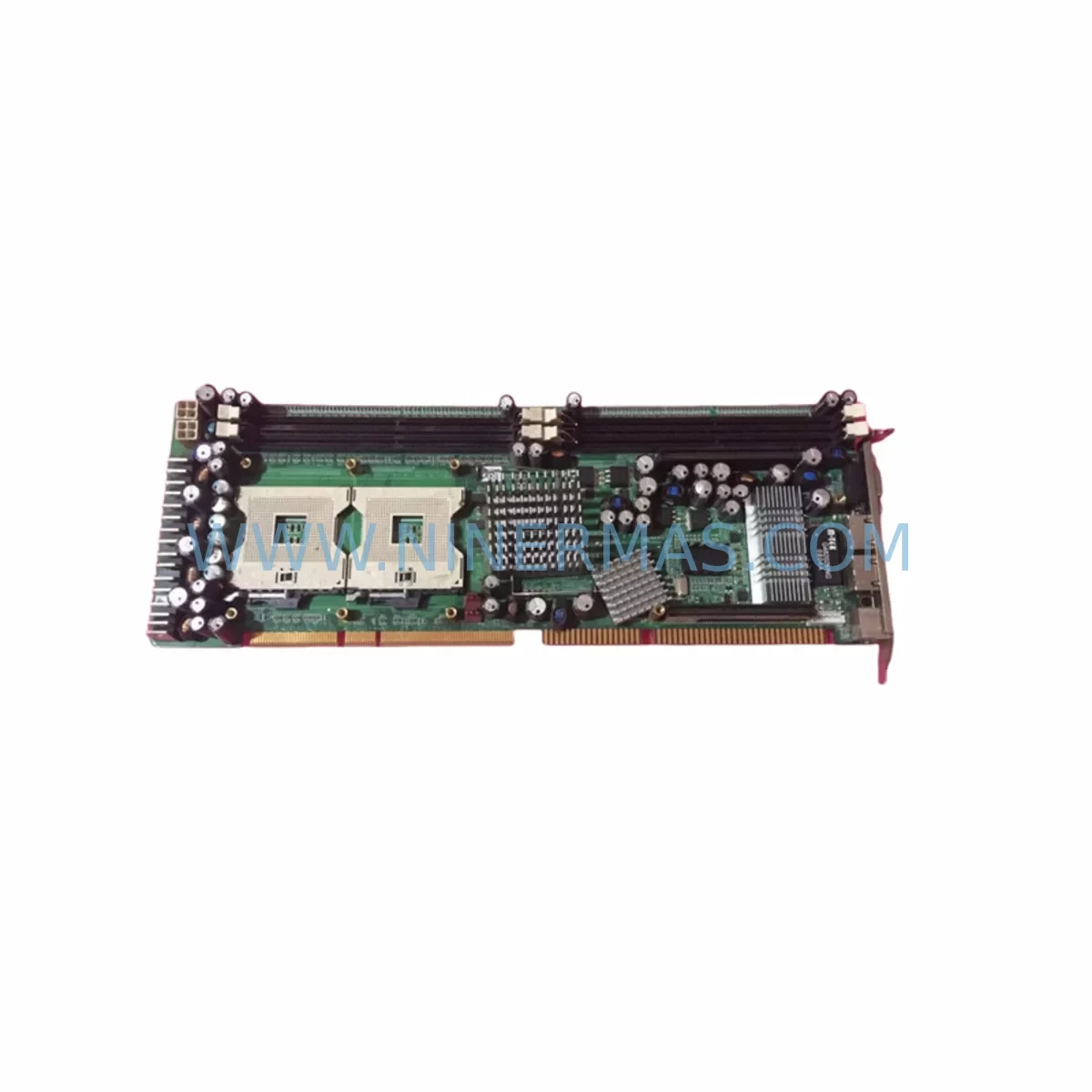
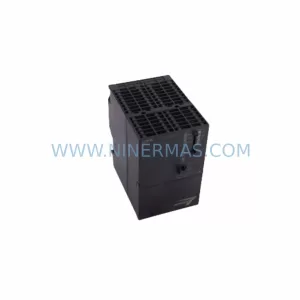
NEXCOM PEAK760VL2 4BP00760D1X0 Service-Ready Spare Part
Verify the part, confirm the platform family, and move straight into quotation with the right commercial details.
RFQ Ready
- SKUPEAK760VL2 4BP00760D1X0
- CategoryPLC & Industrial Automation Modules
- BrandNEXCOM
- SupportAvailability, lead time, condition, and shipping coordination
How Buyers Usually Use This Page
- Confirm the exact part number and platform family before sending the quote request.
- Use direct email when quantity, condition, and destination are already defined internally.
- Switch to the broader brand or category archive when you need alternates nearby.
Series Navigation
Move through the most common platform families behind this part.
Product RFQ
Send this part directly for quotation.
Include quantity, required condition, destination country, and target delivery timing. Current reference: NEXCOM PEAK760VL2 4BP00760D1X0 Service-Ready Spare Part with SKU PEAK760VL2 4BP00760D1X0.
NEXCOM PEAK760VL2 4BP00760D1X0 Service-Ready Spare Part: Backplane Replacement & Downtime Risk Control
The NEXCOM PEAK760VL2 4BP00760D1X0 is a passive backplane module designed for NEXCOM’s PEAK Series industrial PC chassis platforms. In process manufacturing, discrete automation, and critical infrastructure environments, the backplane is the structural and electrical backbone of the entire IPC system — routing power, data, and I/O signals between CPU cards, expansion modules, and peripheral boards. When a backplane fails or degrades, the entire control node goes offline. Maintaining a verified, service-ready spare of the PEAK760VL2 4BP00760D1X0 is therefore a non-negotiable element of any serious spare parts program for NEXCOM PEAK Series installations.
At NINERMAS, we supply the NEXCOM PEAK760VL2 4BP00760D1X0 as a tested, original-compatible spare part with full pre-shipment inspection, 12-month warranty coverage, and long-term supply commitment. Whether you are managing a planned annual overhaul, responding to an unscheduled fault, or building a strategic inventory buffer for aging NEXCOM systems, this backplane spare is available for rapid dispatch to your facility.
Spare Maintenance Table
| Parameter | Specification / Detail |
|---|---|
| Part Number | PEAK760VL2 4BP00760D1X0 |
| Manufacturer | NEXCOM International Co., Ltd. |
| Series | PEAK Series (PEAK760 Platform) |
| Module Type | Passive Industrial Backplane |
| Form Factor | PEAK760 Chassis-Compatible Backplane |
| Slot Configuration | Multi-slot passive backplane for PEAK760 IPC chassis |
| Bus Interface | ISA / PCI / PCIe (platform-dependent; verify with chassis revision) |
| Power Input | Supplied via chassis ATX or industrial power supply rail |
| Operating Temperature | 0°C to +60°C (industrial grade) |
| Storage Temperature | -20°C to +80°C |
| Humidity | 5% to 95% RH, non-condensing |
| Country of Origin | Taiwan |
| Compatibility | NEXCOM PEAK760 Series IPC chassis; verify slot count and revision before installation |
| Maintenance Recommendation | Inspect annually; replace immediately upon bus signal degradation or slot contact failure |
| Warranty | 12 Months from date of shipment — NINERMAS standard warranty |
| Supply Availability | In stock; long-term supply program available |
| Pre-Shipment Testing | Full electrical continuity and slot integrity check prior to dispatch |
Maintenance Planning for Continuous Operation
A backplane replacement in a NEXCOM PEAK760 system is rarely an isolated event. Maintenance engineers and procurement specialists working on PEAK Series IPC platforms should treat a PEAK760VL2 4BP00760D1X0 replacement as the trigger for a broader cabinet inspection and spare parts audit. The following components share the same power rail, signal bus, and thermal environment as the backplane and should be evaluated concurrently.
Begin with the NEXCOM PEAK760 CPU single-board computer (SBC) seated in the primary slot. Backplane slot contact degradation often causes intermittent CPU faults before a hard failure is detected — if the backplane is being replaced due to bus errors, the SBC should be bench-tested independently. Similarly, any NEXCOM expansion I/O cards installed in the secondary slots should be removed, inspected for oxidation on the edge connectors, and reseated or replaced as required.
The industrial ATX power supply or chassis power module feeding the backplane deserves particular attention. A failing power supply with voltage ripple or transient spikes is a leading cause of premature backplane degradation. Verify output rails with a calibrated multimeter before commissioning the replacement backplane. If the system uses a redundant power supply module, confirm that both units are within specification and that the changeover relay or diode OR-ing circuit is functioning correctly.
For systems integrated into a larger DCS or PLC network, inspect the communication interface cards — whether PROFIBUS DP, Modbus RTU, EtherNet/IP, or proprietary fieldbus — installed in the PEAK760 expansion slots. These cards are sensitive to bus signal integrity and may exhibit communication timeouts or CRC errors if the backplane has been operating in a degraded state. A signal isolator or surge protection module on the fieldbus line should also be checked, as backplane faults can propagate transients onto the communication cable.
Do not overlook the terminal blocks and wiring harnesses connecting field I/O to the IPC chassis. Loose terminations, corroded contacts, or undersized conductors can introduce ground loops that stress the backplane’s signal return paths. Inspect and re-torque all terminal connections during the replacement window. If the cabinet includes a 24VDC relay output module or solid-state relay (SSR) bank driven by the PEAK760 digital outputs, verify coil voltage and contact resistance — these components often degrade in parallel with the control hardware.
For facilities running HMI panels connected to the PEAK760 platform via serial or Ethernet, confirm that the HMI communication parameters remain valid after the backplane swap, particularly if the replacement unit has a different hardware revision. Finally, review the cabinet ventilation and thermal management — clogged filters, failed fans, or inadequate airflow are environmental stressors that accelerate backplane aging and should be corrected before the new spare is installed.
Site Replacement Workflow
Replacing the NEXCOM PEAK760VL2 4BP00760D1X0 in a live production environment requires a structured approach to minimize downtime and avoid secondary faults. The following workflow is recommended for maintenance engineers executing an unscheduled or planned replacement.
Step 1 — Pre-Replacement Documentation: Before powering down the system, photograph or document the slot assignments of all cards installed in the PEAK760 chassis. Record the position of each CPU card, I/O expansion board, and communication module. Note any jumper or DIP switch settings visible on the backplane or installed cards.
Step 2 — Controlled Shutdown: Execute a controlled shutdown of the IPC application software and operating system before removing power. Avoid hard power cuts where possible, as abrupt shutdowns can corrupt application data on the SBC’s storage media.
Step 3 — Card Extraction and Labeling: Remove all expansion cards from the backplane slots in sequence, labeling each card with its slot number. Store cards in anti-static bags during the replacement procedure.
Step 4 — Backplane Removal and Inspection: Disconnect the power supply connector and any auxiliary cables from the old backplane. Inspect the chassis mounting points and power connector for damage. Clean the chassis interior of dust and debris before installing the replacement unit.
Step 5 — Replacement Installation: Install the PEAK760VL2 4BP00760D1X0 replacement backplane, secure all mounting fasteners, and reconnect the power supply connector. Verify that the replacement unit’s slot count and bus configuration match the original before reinstalling cards.
Step 6 — Card Reinstallation and Power-On Test: Reinstall all expansion cards in their documented slot positions. Apply power and verify that the system POST completes without error. Confirm that all I/O, communication, and HMI functions are restored before returning the system to production.
Step 7 — Post-Replacement Logging: Record the replacement in the maintenance log with the date, technician name, old and new part numbers, and any observations noted during the procedure. Update the spare parts inventory to reflect the consumed unit and initiate a replenishment order to maintain buffer stock.
Spare Parts Support FAQ
Q1: Is the NEXCOM PEAK760VL2 4BP00760D1X0 compatible with all PEAK760 chassis variants?
The PEAK760VL2 4BP00760D1X0 is designed for the NEXCOM PEAK760 platform, but chassis variants may differ in slot count, bus type (ISA, PCI, or PCIe), and power connector configuration. Always verify the chassis model number and hardware revision against the backplane specification before ordering. NINERMAS technical support can assist with compatibility confirmation based on your chassis serial number or nameplate data.
Q2: What pre-shipment testing does NINERMAS perform on this backplane spare?
Every NEXCOM PEAK760VL2 4BP00760D1X0 unit shipped by NINERMAS undergoes a full electrical continuity check across all slot connectors, power rails, and signal lines prior to dispatch. Units that do not meet specification are quarantined and not shipped. A 12-month warranty is provided from the date of shipment, covering manufacturing defects and electrical failure under normal operating conditions.
Q3: Can NINERMAS support long-term supply of this part for multi-year maintenance contracts?
Yes. NINERMAS operates a long-term spare parts supply program specifically for discontinued and end-of-life industrial computing components, including NEXCOM PEAK Series hardware. We maintain strategic inventory and can support blanket purchase orders, scheduled releases, and consignment arrangements for facilities with ongoing PEAK760 maintenance requirements. Contact sale@ninermas.com to discuss a supply agreement.
Q4: What is the recommended spare parts strategy for a NEXCOM PEAK760 installation?
For critical production systems, we recommend maintaining at minimum one spare backplane (PEAK760VL2 4BP00760D1X0), one spare CPU SBC, and one spare power supply module per installed PEAK760 chassis. For facilities with multiple PEAK760 nodes, a shared pool of two to three backplane spares is typically sufficient to cover unscheduled failures across the site. Annual inspection of all installed backplanes — including slot contact cleaning and power rail verification — is recommended to extend service life and reduce the frequency of emergency replacements.
| Product Series | Other series |
|---|
Catalog Continuation
Alternative parts within PLC & Industrial Automation Modules.
Stay inside the same system family when you need substitutes, adjacent modules, or a broader shortlist for procurement review.
SKU: 2711P-B10C15A2/A
Allen-Bradley 2711P-B10C15A2 Service-Ready Spare Part
SKU: 6ES7234-4HE32-0XB0
Siemens 6ES7234-4HE32-0XB0 Service-Ready Spare Part
SKU: ACS880-104LC-0860A-7
ABB ACS880-104LC-0860A-7 Retrofit-Compatible Inverter
SKU: MVME2304 64-W5206C01B
Motorola MVME2304 64-W5206C01B Retrofit-Compatible Processor



