
Original Industrial Spare Part
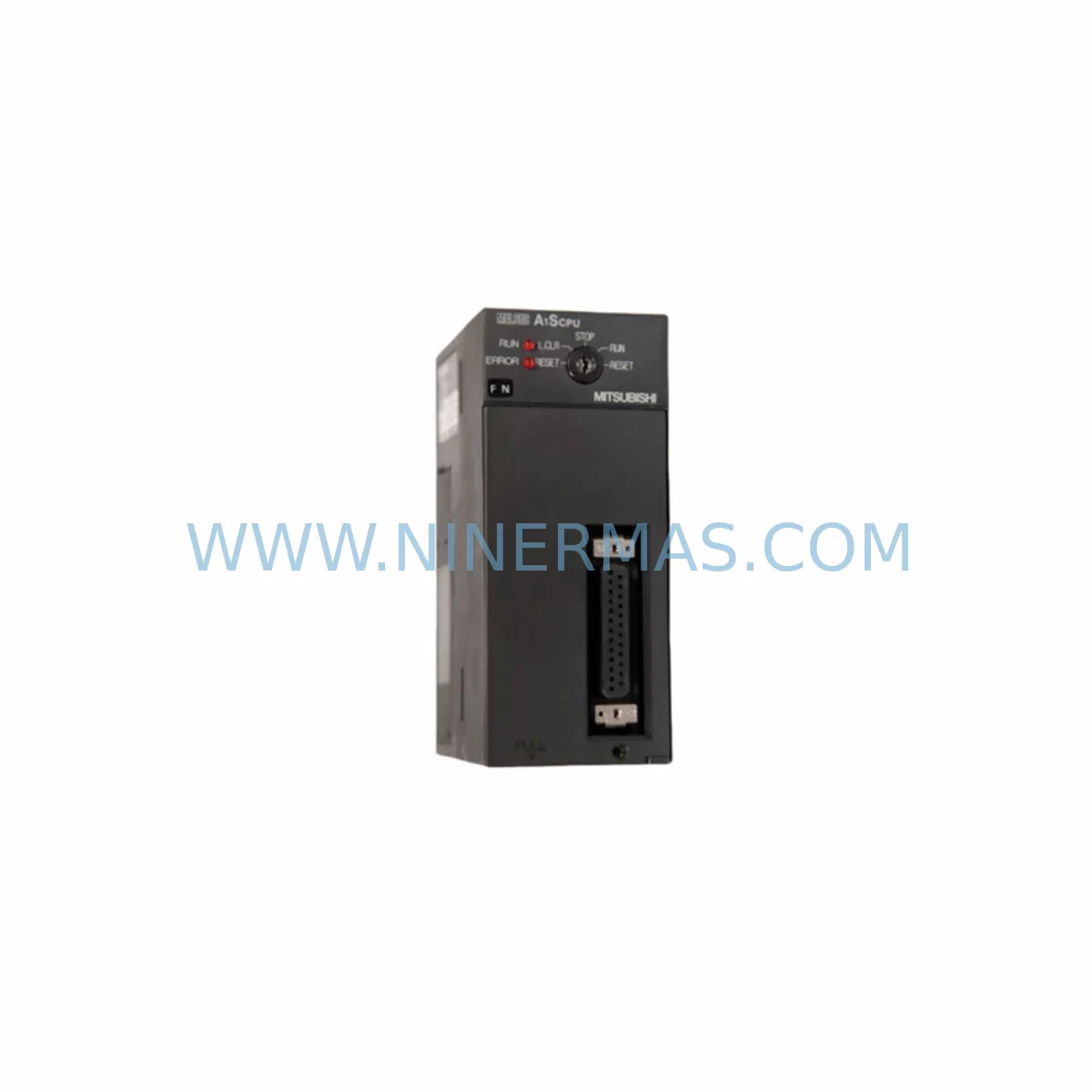
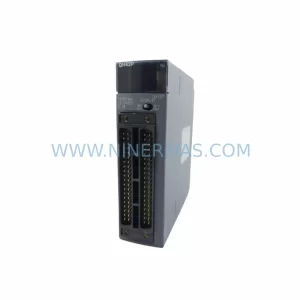
Mitsubishi A1SCPU Retrofit-Compatible CPU for Legacy Systems
Verify the part, confirm the platform family, and move straight into quotation with the right commercial details.
RFQ Ready
- SKUA1SCPU
- CategoryPLC & Industrial Automation Modules
- BrandMitsubishi
- SupportAvailability, lead time, condition, and shipping coordination
How Buyers Usually Use This Page
- Confirm the exact part number and platform family before sending the quote request.
- Use direct email when quantity, condition, and destination are already defined internally.
- Switch to the broader brand or category archive when you need alternates nearby.
Series Navigation
Move through the most common platform families behind this part.
Product RFQ
Send this part directly for quotation.
Include quantity, required condition, destination country, and target delivery timing. Current reference: Mitsubishi A1SCPU Retrofit-Compatible CPU for Legacy Systems with SKU A1SCPU.
Mitsubishi A1SCPU Retrofit-Compatible CPU for Legacy Systems
The Mitsubishi A1SCPU is a central processing unit designed for the MELSEC A-series programmable logic controller platform — one of the most widely deployed industrial automation architectures across Asia-Pacific manufacturing facilities. As production lines age and original equipment manufacturers discontinue support for legacy control hardware, the A1SCPU remains a critical component for engineers tasked with maintaining operational continuity, extending system life cycles, and executing phased modernization programs without full line shutdowns.
This retrofit-compatible unit is sourced, tested, and supplied by NINERMAS COMPANY LIMITED to support customers engaged in spare parts procurement, emergency replacement, and planned control system upgrades. Each unit undergoes pre-shipment functional verification and is backed by a 12-month warranty covering manufacturing defects and operational failures under normal industrial conditions.
Upgrade Compatibility Table
| Parameter | Details |
|---|---|
| Compatible Platform | Mitsubishi MELSEC A-Series (AnS, A1S, A2S, A3) |
| Replaces / Substitutes | A1SCPU, A1SCPUC24-R2, A2SCPU, A2SCPUC24-R2 (with program review) |
| Backplane Interface | A1S-series slim backplane (A1S52B, A1S55B, A1S58B) |
| Communication Compatibility | RS-232C (programming port); MELSEC-A bus; CC-Link via dedicated module |
| I/O Addressing | Compatible with existing X/Y/M/D/T/C device assignments in GX Developer / GPP-W |
| Installation Requirement | Verify slot position on backplane; confirm power supply module (A1S61P / A1S62P) capacity |
| Programming Tool | GX Developer (SW8D5C-GPPW) or GX Works2 with A-series project mode |
| HMI Compatibility | GOT1000 / GOT2000 series with A-series driver; legacy F940 panels via RS-232C |
| Retrofit Recommendation | Direct replacement in same slot; re-download program from backup or re-read from original CPU if functional |
| Commissioning Focus | Verify I/O module addresses, timer/counter presets, and communication link parameters post-swap |
| Warranty | 12 Months — covers manufacturing defects and operational failure under standard industrial use |
Retrofit Planning for Existing Automation Systems
When planning a retrofit around the A1SCPU, the scope of work extends well beyond swapping the CPU module itself. Engineers must conduct a thorough audit of the existing control cabinet before any hardware is removed. The first priority is confirming that the installed power supply module — typically an A1S61P or A1S62P — can sustain the current draw of the replacement CPU alongside all installed I/O modules. Overloaded power rails are a common cause of intermittent faults after retrofit work, particularly in cabinets where additional modules have been added over the years without recalculating total consumption.
The backplane is the next critical checkpoint. A1S-series slim backplanes such as the A1S52B (2-slot), A1S55B (5-slot), and A1S58B (8-slot) must be inspected for connector wear, corrosion, and physical damage before the new CPU is seated. A degraded backplane connector can cause communication errors between the CPU and downstream I/O modules including digital input units like the A1SX40, digital output units like the A1SY10, and analog modules such as the A1S68AD or A1S62DA. These modules retain their device addresses from the original program, so no re-addressing is required in a like-for-like CPU swap — but this must be verified against the program documentation before powering up.
Communication architecture is another area requiring careful pre-retrofit mapping. Many A-series installations use a dedicated communication module such as the A1SJ71UC24-R2 or A1SJ71C24-R2 for serial link connections to SCADA systems, HMI panels, or remote I/O stations. These modules operate independently of the CPU but rely on shared memory areas (buffer memory) that must be re-initialized after a CPU replacement. Engineers should document all buffer memory settings, station numbers, and baud rate configurations before the swap and verify link establishment after the new CPU is online.
For sites running GOT1000 or GOT2000 series HMI panels connected to the A1SCPU via RS-232C or MELSEC-A bus, the screen project should be backed up prior to any hardware work. While the HMI communicates with the CPU through a defined driver and does not store program logic, any changes to device addresses or communication parameters in the new CPU will require corresponding updates to the HMI project. Legacy F940GOT panels connected via RS-232C are particularly sensitive to baud rate mismatches and should be tested with a loopback check before full system restart.
If the retrofit is part of a broader migration toward CC-Link or Ethernet-based communication, the A1SJ61BT11 CC-Link master module can be installed alongside the A1SCPU to begin the transition while retaining the existing A-series I/O infrastructure. This hybrid approach allows engineers to migrate remote stations incrementally, reducing the risk of a full cutover and giving operations teams time to validate each segment before the next phase begins.
Programming cable selection is often overlooked until the last moment. The SC-09 RS-232C programming cable remains the standard interface between a laptop running GX Developer and the A1SCPU programming port. Engineers should confirm cable availability and laptop COM port compatibility — or use a USB-to-RS232 adapter with verified driver support — before the maintenance window begins. Having a pre-configured programming laptop with the correct project file loaded and verified is one of the most effective ways to compress commissioning time during a planned outage.
Downtime Control During System Migration
Minimizing unplanned downtime during a CPU replacement requires preparation that begins weeks before the maintenance window. The most important step is obtaining a verified backup of the existing program from the original A1SCPU while it is still operational. GX Developer’s program read function allows engineers to upload the ladder logic, parameter files, and device comments directly from the CPU to a project file. This backup should be stored in at least two locations — a local engineering laptop and a network share — and verified by comparing the program checksum against any previously archived version.
During the physical swap, the sequence matters. Power down the entire control panel, not just the CPU slot, to avoid backplane voltage spikes that can damage I/O modules. Remove the original CPU, seat the replacement A1SCPU firmly into the same slot, and restore power before connecting the programming cable. The CPU will initialize in STOP mode, which is the correct state for program download. Write the verified program to the new CPU, set parameters, and switch to RUN mode only after confirming that all I/O modules are recognized and no error LEDs are active on the base unit.
For processes that cannot tolerate a full shutdown, a shadow commissioning approach can be used: the replacement CPU is pre-programmed and tested on a bench setup using a spare A1S55B backplane and representative I/O modules before the maintenance window. This allows the engineering team to identify any program compatibility issues — such as instruction set differences between CPU firmware versions — without consuming time during the live cutover. The pre-tested unit is then swapped in during the shortest available window, with the team ready to restore the original CPU if any unexpected behavior is observed within the first hour of operation.
Maintaining field control continuity during migration also means communicating clearly with the operations team about which outputs will be de-energized during the swap and for how long. Interlocks, safety relays, and any hardwired emergency stop circuits should be verified to be in their safe state before work begins. After restart, a structured I/O check — cycling each output and confirming each input — provides confidence that the new CPU is reading and writing correctly before the process is handed back to automatic control.
Retrofit Support FAQ
Q: Is the A1SCPU a direct drop-in replacement for the A2SCPU?
A: In most cases, yes — both units use the same A1S-series slim backplane and share compatible I/O module addressing. However, the A2SCPU supports a larger program memory capacity and additional device points. If the existing program uses device ranges or instruction types that exceed A1SCPU specifications, a program review and possible optimization will be required before the swap. NINERMAS recommends requesting the original program file and parameter sheet for review prior to ordering.
Q: What pre-shipment testing is performed on each unit?
A: Every A1SCPU supplied by NINERMAS undergoes a power-on functional test confirming CPU initialization, RUN/STOP mode switching, and programming port communication. Units that fail any stage of testing are quarantined and not shipped. A test report is available upon request for customers with quality documentation requirements.
Q: How do I verify wiring compatibility before installing the replacement CPU?
A: The A1SCPU does not have direct field wiring connections — all I/O wiring terminates at the individual I/O modules installed in the backplane slots. Terminal block wiring to modules such as the A1SX40 or A1SY10 does not need to be disturbed during a CPU-only replacement. Confirm that the backplane slot assignment of each module matches the device addresses in the program before powering up.
Q: What is the warranty coverage and what does it include?
A: All units are covered by a 12-month warranty from the date of shipment. The warranty covers manufacturing defects and operational failures under normal industrial operating conditions, including standard temperature, humidity, and vibration ranges as specified in the Mitsubishi MELSEC A-series hardware manual. Physical damage, incorrect installation, or operation outside rated parameters are not covered. Warranty claims are processed through NINERMAS directly — contact sale@ninermas.com with your order reference and a description of the fault.
—
| Product Series | MELSEC |
|---|---|
| Country of Origin | JP |
Catalog Continuation
More Mitsubishi modules in the catalog.
Use the brand lane to compare nearby part numbers, platform-adjacent modules, and other inquiry-ready listings before sending your final RFQ.
Catalog Continuation
Alternative parts within PLC & Industrial Automation Modules.
Stay inside the same system family when you need substitutes, adjacent modules, or a broader shortlist for procurement review.

SKU: OZDPROFI12MG12
Hirschmann OZDPROFI12MG12 Spare Part for Industrial Maintenance



SKU: 07025-0000-70-1-04
KONTRON 07025-0000-70-1-04 Service-Ready Spare Part



