Original Industrial Spare Part
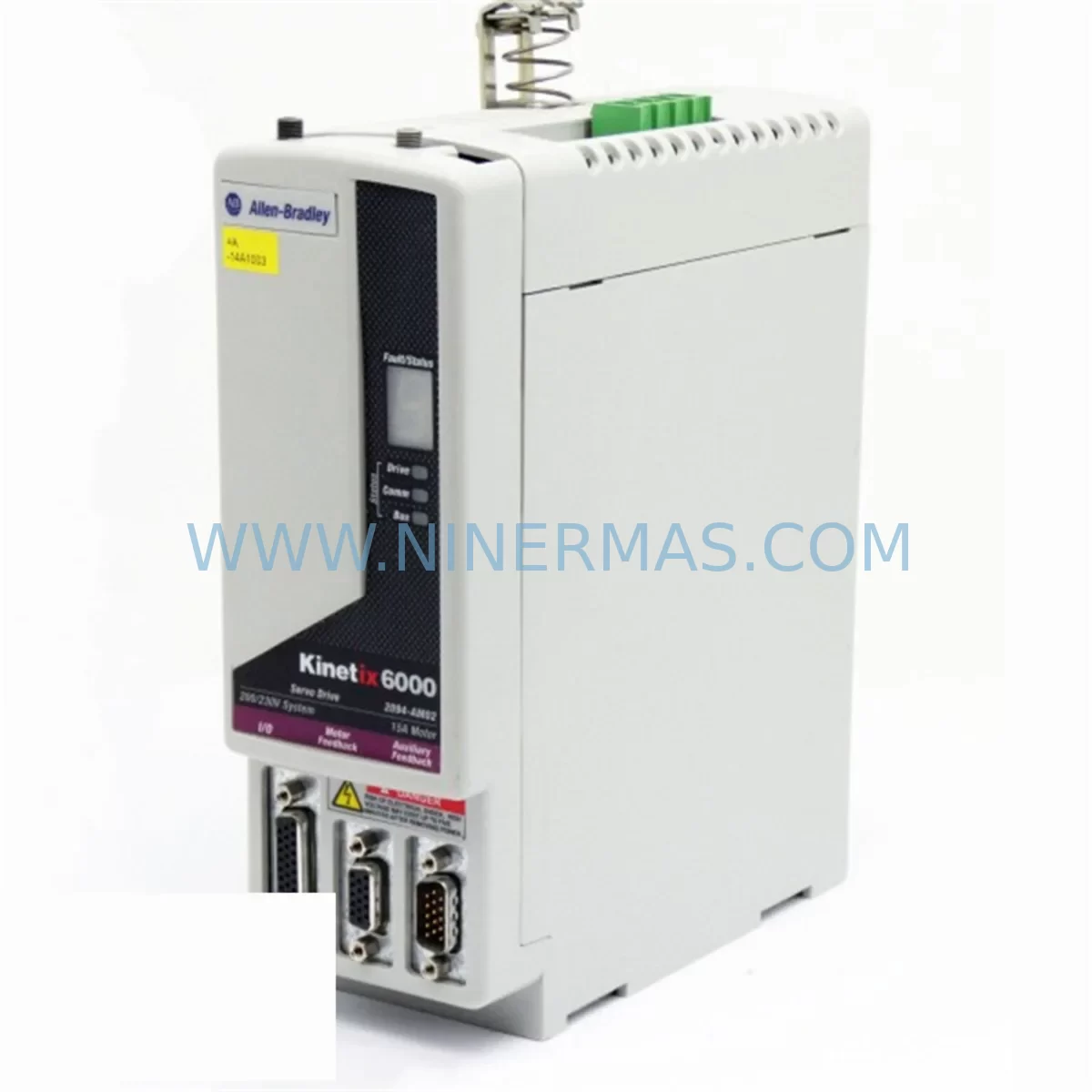
Allen-Bradley 2094-AM02 Retrofit-Compatible Servo Drive
Verify the part, confirm the platform family, and move straight into quotation with the right commercial details.
RFQ Ready
- SKU2094-AM02
- CategoryPLC & Industrial Automation Modules
- BrandAllen-Bradley
- SupportAvailability, lead time, condition, and shipping coordination
How Buyers Usually Use This Page
- Confirm the exact part number and platform family before sending the quote request.
- Use direct email when quantity, condition, and destination are already defined internally.
- Switch to the broader brand or category archive when you need alternates nearby.
Series Navigation
Move through the most common platform families behind this part.
Product RFQ
Send this part directly for quotation.
Include quantity, required condition, destination country, and target delivery timing. Current reference: Allen-Bradley 2094-AM02 Retrofit-Compatible Servo Drive with SKU 2094-AM02.
Allen-Bradley 2094-AM02 Retrofit-Compatible Servo Drive: Legacy System Compatibility & Smooth Upgrade Path
The Allen-Bradley 2094-AM02 is a shared AC bus power module designed for the Kinetix 6000 multi-axis servo drive system. As legacy Kinetix 6000 installations age and original components reach end-of-life, the 2094-AM02 remains a critical retrofit and replacement solution for manufacturers seeking to extend the operational life of their existing servo infrastructure without committing to a full platform migration. Whether you are replacing a failed unit on a running production line or proactively stocking spare modules to protect against unplanned downtime, the 2094-AM02 delivers the electrical and mechanical compatibility required for a controlled, low-risk retrofit.
The 2094-AM02 is an axis module — not a standalone drive — and operates in conjunction with the 2094-BC01-M01-S (or equivalent) Kinetix 6000 power rail and integrated axis modules such as the 2094-AM01, 2094-AM03, and 2094-BM01-S. When planning a retrofit or replacement, engineers must confirm that the existing IAM (Integrated Axis Module) on the same power rail is compatible with the shared bus architecture. The 2094-AM02 supports a continuous output current of 7 Arms and a peak output of 21 Arms, making it suitable for mid-range servo axis applications in packaging, material handling, and assembly automation.
Upgrade Compatibility Table
| Parameter | 2094-AM02 (This Unit) | Retrofit Notes |
|---|---|---|
| Series | Kinetix 6000 | Compatible with existing Kinetix 6000 power rail |
| Module Type | Axis Module (AM) | Must pair with IAM on same 2094 power rail |
| Continuous Output Current | 7 Arms | Verify motor nameplate current does not exceed rating |
| Peak Output Current | 21 Arms | Confirm peak demand during acceleration cycles |
| Bus Interface | Shared AC Bus | Backplane connector must be inspected before installation |
| Communication | SERCOS via IAM | SERCOS ring continuity must be maintained; check fiber optic links |
| Mounting | DIN rail / panel mount on 2094 power rail | Confirm rail slot position and module address in RSLogix 5000 |
| Replacement for | Discontinued 2094-AM02 units | Direct drop-in; no firmware change required in most cases |
| Commissioning Tool | RSLogix 5000 / Studio 5000 | Re-run axis tune after replacement; verify drive tags |
| Warranty | 12 Months | Covered from date of shipment; includes pre-shipment functional test |
Retrofit Planning for Existing Automation Systems
Retrofitting a Kinetix 6000 system requires a structured approach that accounts for both the electrical and software layers of the existing installation. Before removing the failed or aging 2094-AM02, maintenance engineers should document the current axis configuration in Studio 5000 (formerly RSLogix 5000), including the axis number, drive tag name, motor catalog number, and all tuning parameters such as bandwidth, inertia ratio, and velocity feedforward gain. This data is essential for restoring the axis to its pre-failure performance after the new module is installed.
On the hardware side, the 2094 power rail backplane connector should be inspected for pin damage or corrosion before seating the replacement module. The shared AC bus architecture means that all axis modules on the rail — including adjacent 2094-AM01 and 2094-AM03 units — share the same DC bus voltage. A shorted or degraded module can affect the entire rail, so it is advisable to measure bus voltage and check for fault codes on the 2094-BC01-M01-S IAM before powering up the replacement axis module.
Terminal wiring for the motor power (U, V, W) and feedback connector (typically a 15-pin D-sub for resolver or encoder feedback) must be transferred carefully from the old module to the new one. Labeling all wires before disconnection is strongly recommended. If the original installation used a 2090-XXNFMF-Sxx feedback cable, verify that the cable connector is undamaged and that the feedback device — whether a Stegmann encoder or resolver — is functioning correctly before blaming the axis module for a fault condition.
For systems that also include a 2094-EN02D-M01-S EtherNet/IP communication module or a 2094-SE02F-M00-S SERCOS interface module, the communication ring must be re-established after module replacement. SERCOS fiber optic cables connecting the IAM to each axis module should be checked for continuity and proper seating. If the system uses an EtherNet/IP motion network, confirm that the IP address assignment and CIP motion connection parameters in the Logix controller are still valid after the hardware change.
In control cabinets where space is constrained, confirm that the replacement 2094-AM02 can be seated without interference from adjacent wiring ducts or terminal blocks. The module dimensions are identical to the original, but over time, cable management in older cabinets can shift and reduce clearance. If the cabinet also houses a 1756-L71 or 1756-L73 ControlLogix controller with a 1756-M02AE or 1756-M03SE motion module, verify that the motion group configuration in the controller project still references the correct axis module after the hardware swap.
For facilities managing multiple Kinetix 6000 systems across a plant floor, maintaining a small buffer stock of 2094-AM02 modules — alongside compatible 2094-AM01 and 2094-AM03 units — is a proven strategy for minimizing mean time to repair (MTTR). As Allen-Bradley has transitioned its servo platform toward the Kinetix 5700 and Kinetix 5500 families, sourcing genuine 2094-series modules through authorized distributors or certified aftermarket suppliers becomes increasingly important for lifecycle management.
Downtime Control During System Migration
Unplanned downtime during a servo axis failure is one of the most costly events in a manufacturing environment. A pre-tested, in-stock 2094-AM02 replacement module can reduce the repair window from days to hours. The key to fast recovery is preparation: having the axis configuration exported from Studio 5000 as an .ACD backup, knowing the motor catalog number and feedback type, and having the correct feedback cable and motor power cable on hand before the replacement module arrives.
During the swap, the Logix controller should be placed in Program mode to prevent inadvertent motion commands. The SERCOS ring or EtherNet/IP motion network should be taken offline in a controlled manner rather than allowing a hard fault to propagate through the system. After the new 2094-AM02 is seated and wired, the axis should be enabled in Studio 5000 and a drive self-test performed before re-running the axis tune. This sequence protects the original program logic — no changes to the ladder or structured text code are required for a like-for-like module replacement.
For planned upgrades where the goal is to migrate from the Kinetix 6000 platform to a newer architecture, the 2094-AM02 can serve as a bridge solution, keeping the existing system operational while the new platform — such as a Kinetix 5700 with 2198-Dxxx drive modules — is engineered, programmed, and staged offline. This phased approach allows production to continue on the legacy system while the upgrade is validated in a parallel environment, dramatically reducing the risk of a failed cutover.
Every 2094-AM02 unit shipped by NINERMAS undergoes a pre-shipment functional test to verify output stage integrity, bus interface continuity, and communication readiness. Units are shipped with original or equivalent packaging to prevent transit damage, and each order includes documentation of the test results. The 12-month warranty covers manufacturing defects and functional failures under normal operating conditions, providing procurement and maintenance teams with the confidence needed to approve the purchase of aftermarket or surplus inventory.
Retrofit Support FAQ
Q: Is the 2094-AM02 a direct drop-in replacement for a failed unit on my existing Kinetix 6000 power rail?
A: Yes. The 2094-AM02 is mechanically and electrically compatible with the existing 2094 power rail. No modifications to the rail, wiring, or controller program are required for a like-for-like replacement. After installation, re-run the axis tune in Studio 5000 to restore optimal performance.
Q: Do I need to update firmware or change any parameters in RSLogix 5000 after replacing the module?
A: In most cases, no firmware update is required. The axis configuration stored in the Logix controller project remains valid. However, if the replacement module has a different firmware revision than the original, Studio 5000 may prompt a firmware update via ControlFLASH. This is a straightforward process and does not affect the program logic.
Q: What is included in the pre-shipment test, and does the unit come with a warranty?
A: Each 2094-AM02 is functionally tested prior to shipment to verify output stage integrity and bus interface operation. The unit is covered by a 12-month warranty from the date of shipment. Test documentation is available upon request.
Q: Can you supply multiple units for a plant-wide spare parts program?
A: Yes. NINERMAS maintains inventory of 2094-AM02 modules and can fulfill both single-unit emergency orders and bulk orders for spare parts programs. Lead times and pricing for volume orders are available upon request. Contact our team at sale@ninermas.com or +0086 187 5021 5667 for availability confirmation.
| Product Series | Kinetix |
|---|---|
| Country of Origin | US |
Catalog Continuation
More Allen-Bradley modules in the catalog.
Use the brand lane to compare nearby part numbers, platform-adjacent modules, and other inquiry-ready listings before sending your final RFQ.




Catalog Continuation
Alternative parts within PLC & Industrial Automation Modules.
Stay inside the same system family when you need substitutes, adjacent modules, or a broader shortlist for procurement review.


SKU: 00-176-037 00-176-037 00-262-652 00-262-652 00-178-888 00-178-888
KUKA 00-176-037 Retrofit Reducer Module for Legacy Systems

SKU: 6SE7027-2TD84-6HF3
SIEMENS 6SE7027-2TD84-6HF3 Service-Ready Spare Part