Original Industrial Spare Part
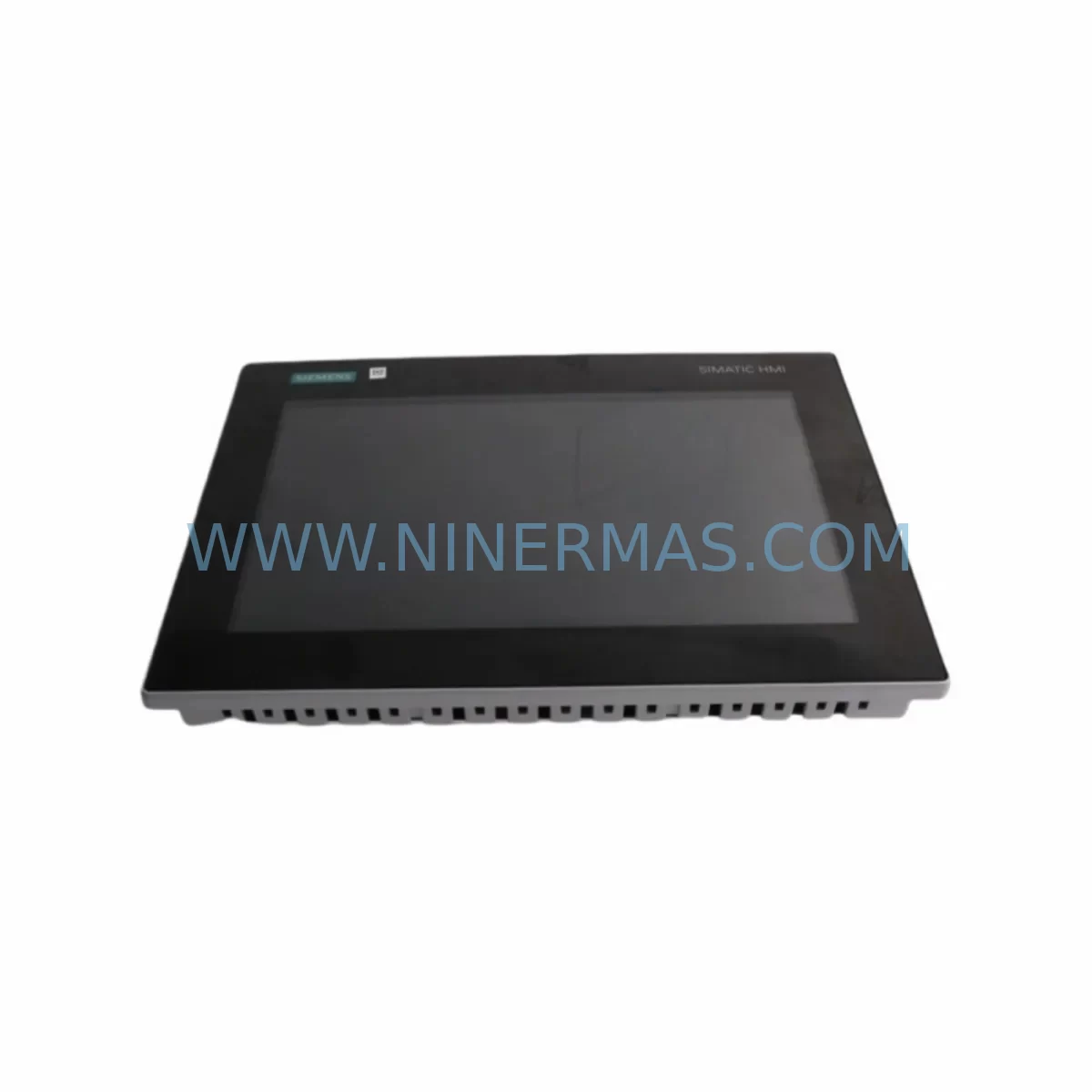
Siemens 6AV2143-6GA00-0SN0 Retrofit-Compatible HMI for Legacy
Verify the part, confirm the platform family, and move straight into quotation with the right commercial details.
RFQ Ready
- SKU6AV2143-6GA00-0SN0
- CategoryPLC & Industrial Automation Modules
- BrandSiemens
- SupportAvailability, lead time, condition, and shipping coordination
How Buyers Usually Use This Page
- Confirm the exact part number and platform family before sending the quote request.
- Use direct email when quantity, condition, and destination are already defined internally.
- Switch to the broader brand or category archive when you need alternates nearby.
Series Navigation
Move through the most common platform families behind this part.
Product RFQ
Send this part directly for quotation.
Include quantity, required condition, destination country, and target delivery timing. Current reference: Siemens 6AV2143-6GA00-0SN0 Retrofit-Compatible HMI for Legacy with SKU 6AV2143-6GA00-0SN0.
Siemens 6AV2143-6GA00-0SN0 Retrofit-Compatible HMI for Legacy Systems: Seamless Upgrade & Smooth Migration
The Siemens 6AV2143-6GA00-0SN0 is a 12-inch widescreen Basic Panel from the SIMATIC HMI KTP1200 Basic series, designed for operator control and monitoring in machine-level automation. As legacy HMI panels reach end-of-life or become discontinued, the 6AV2143-6GA00-0SN0 serves as a proven retrofit-compatible replacement for older SIMATIC HMI units including the TP1200 Comfort, KTP1000 Basic, and earlier OP/TP series panels. Whether you are upgrading a legacy control cabinet, migrating from an obsolete PROFIBUS-based HMI to PROFINET, or simply restoring a failed panel in a production line, this unit provides a reliable, cost-effective path forward with minimal disruption to your existing automation architecture.
NINERMAS COMPANY LIMITED maintains verified stock of the 6AV2143-6GA00-0SN0 with full pre-shipment testing, ensuring every unit is operationally confirmed before dispatch. All units are covered by a 12-month warranty and are available for immediate shipment to support urgent retrofit and maintenance requirements.
Upgrade Compatibility Table
| Parameter | 6AV2143-6GA00-0SN0 (KTP1200 Basic) | Typical Legacy Unit Being Replaced |
|---|---|---|
| Display Size | 12″ Widescreen TFT | 10″–12″ STN/TFT |
| Communication Interface | PROFINET (RJ45 x2) + MPI/PROFIBUS (optional) | PROFIBUS DP / MPI |
| Power Supply | 24 V DC (±20%) | 24 V DC |
| Mounting Cutout | 310 × 220 mm | Verify against existing panel cutout |
| Mounting Depth | ~55 mm | Confirm cabinet depth clearance |
| Configuration Software | TIA Portal V13 SP1 or higher | WinCC flexible / STEP 7 |
| Protocol Migration | PROFINET-native; PROFIBUS via CM adapter | PROFIBUS DP / MPI direct |
| Touch + Key Input | Touch screen + 8 function keys | Touch or key-only variants |
| Retrofit Recommendation | Direct replacement for KTP1000/TP1200 series | Requires TIA Portal project migration |
| Commissioning Focus | IP address config, tag remapping, screen adaptation | COM port / DP address setting |
| Warranty | 12 Months — All units pre-shipment tested | |
Retrofit Planning for Existing Automation Systems
Successful integration of the 6AV2143-6GA00-0SN0 into an existing production environment requires careful pre-retrofit planning across several dimensions. The first step is confirming the power supply capacity of the existing control cabinet. The KTP1200 Basic draws up to 6 W in typical operation; however, if the cabinet also houses a SIMATIC S7-1200 CPU, a SITOP PSU100S 24 V power supply, or a CM 1241 RS485 communication module, the total load budget must be recalculated to ensure no voltage drop occurs under peak conditions.
Terminal wiring is the next critical checkpoint. The 6AV2143-6GA00-0SN0 uses a standard 2-pin DC power connector. When replacing an older OP 177B or TP 177B panel, the existing 24 V DC wiring can typically be reused, but the ground bonding and cable shielding should be inspected and renewed if degraded. If the legacy system used a PROFIBUS DP connection via a 9-pin Sub-D connector, and the new network architecture is PROFINET-based, a protocol migration plan must be developed. In many cases, a SIMATIC NET CP 1616 or an IE/PB Link PN IO module is used as a gateway to bridge the existing PROFIBUS field devices — such as ET 200S distributed I/O stations or S7-300 CPUs with DP interfaces — into the new PROFINET segment without requiring full field rewiring.
Backplane and rack interface considerations are equally important. If the legacy HMI was mounted in a SIMATIC S7-300 rack alongside SM 321 digital input modules or SM 331 analog input modules, the new KTP1200 Basic operates as a standalone panel connected via Ethernet, not as a rack-mounted module. This architectural shift means the rack slot previously occupied by an older integrated operator panel is freed, but the Ethernet infrastructure — including managed switches and IP address planning — must be in place before commissioning begins.
Module addressing is another area requiring attention. In TIA Portal, the 6AV2143-6GA00-0SN0 is configured as an HMI device within the network view. All PLC tags previously mapped in WinCC flexible must be remapped to the corresponding TIA Portal tag table. If the controller is a legacy S7-300 with a CPU 315-2 DP, the tag addresses remain valid, but the communication driver must be updated from the MPI/DP driver to the S7 communication driver over PROFINET, assuming the CPU has been upgraded or a CP 343-1 Lean Ethernet module has been added to the rack.
HMI screen adaptation is often underestimated in retrofit projects. The KTP1200 Basic has a 1280 × 800 pixel resolution, which is wider than many legacy panels. Existing screen layouts migrated from WinCC flexible will require graphical adjustment to take advantage of the wider display area. Function key assignments must also be reviewed, as the KTP1200 Basic provides 8 configurable function keys compared to the 14 or more available on some older Comfort panels.
For installations involving a SIMATIC S7-1500 controller or a CPU 1516-3 PN/DP, the integration is more straightforward, as both devices are natively PROFINET and TIA Portal-managed. In these cases, the retrofit focuses primarily on screen migration, IP configuration, and physical installation rather than protocol conversion.
Downtime Control During System Migration
Minimizing production downtime during an HMI retrofit is a primary concern for plant engineers and maintenance teams. The recommended approach when replacing a legacy panel with the 6AV2143-6GA00-0SN0 is to complete all TIA Portal project preparation — including tag migration, screen adaptation, and communication configuration — offline before the scheduled maintenance window begins.
The existing PLC program logic does not need to be modified when replacing only the HMI panel, provided the tag structure and data block addresses remain unchanged. This is a significant advantage: the S7-300 or S7-1200 controller continues to execute its control program uninterrupted while the HMI is swapped. The new panel can be pre-configured, IP-addressed, and loaded with the migrated project on a bench setup before being brought to the production floor.
During the physical swap, the sequence should be: power down the cabinet, remove the legacy panel, verify the mounting cutout dimensions against the 310 × 220 mm requirement of the KTP1200 Basic, install the new panel, reconnect the 24 V DC power and Ethernet cable, and power up. First-time boot and project transfer via Ethernet typically takes under 10 minutes. If a SIMATIC Memory Card is used for project storage, transfer time is further reduced.
For systems where continuous control is critical — such as those managing conveyor lines, packaging machines, or process control loops — a parallel run strategy can be employed. A temporary operator station using a SIMATIC WinCC Runtime Advanced license on a standard PC can maintain HMI visibility during the panel swap, ensuring operators retain process visibility and alarm acknowledgment capability throughout the transition.
Post-installation, the commissioning checklist should include: IP address ping test, PLC communication link verification, all tag value cross-checks against known process states, alarm system functional test, and function key mapping confirmation. Full commissioning of a pre-prepared project typically requires 1–3 hours on-site, making it feasible within a standard planned maintenance shutdown.
Retrofit Support FAQ
Q1: Is the 6AV2143-6GA00-0SN0 a direct drop-in replacement for the KTP1000 Basic or TP1200 Comfort?
A: The 6AV2143-6GA00-0SN0 is functionally compatible as a replacement for the KTP1000 Basic and TP1200 Comfort in terms of communication protocol and TIA Portal configuration. However, the mounting cutout dimensions differ — the KTP1200 Basic requires a 310 × 220 mm cutout, which is larger than the KTP1000 Basic (260 × 200 mm). Panel cutout modification or an adapter frame may be required. The TP1200 Comfort cutout is similar but not identical; always verify physical dimensions before ordering.
Q2: Can this unit communicate with a legacy S7-300 CPU over PROFIBUS without replacing the controller?
A: Yes, with the addition of a PROFIBUS communication adapter or by retaining a CP 343-1 module in the S7-300 rack to bridge PROFIBUS to PROFINET. Alternatively, if the S7-300 CPU has an integrated MPI/DP port, a PC Adapter USB A2 or similar programming cable can be used during commissioning, while the runtime communication is handled via an IE/PB Link gateway. NINERMAS can advise on the appropriate gateway solution based on your specific CPU model.
Q3: What pre-shipment testing is performed, and what does the 12-month warranty cover?
A: Every 6AV2143-6GA00-0SN0 unit shipped by NINERMAS undergoes power-on functional testing, display verification, touch input calibration, and communication port integrity checks before dispatch. The 12-month warranty covers manufacturing defects and functional failures under normal operating conditions. Units that fail within the warranty period are replaced or repaired at no additional cost. Warranty claims are processed via sale@ninermas.com.
Q4: How quickly can the unit be shipped, and is stock available?
A: NINERMAS maintains ready stock of the 6AV2143-6GA00-0SN0 to support urgent retrofit and breakdown replacement requirements. Standard lead time for verified in-stock units is 3–7 business days for international shipment. Express shipping options are available for critical downtime situations. Contact sale@ninermas.com or call +0086 187 5021 5667 to confirm current stock availability and shipping timelines.
| Product Series | SIMATIC |
|---|---|
| Country of Origin | DE |
Catalog Continuation
More Siemens modules in the catalog.
Use the brand lane to compare nearby part numbers, platform-adjacent modules, and other inquiry-ready listings before sending your final RFQ.
SKU: 99-10-209 424U0471B-05 424U0511C-05 6SL3120-2TE13-0AA3 (UE41PP) Z376A
Siemens 6SL3120-2TE13-0AA3 Safety-Reliable Double Motor Module
SKU: 6ES7138-4FA02-0AB0
Siemens 6ES7138-4FA02-0AB0 Retrofit-Compatible Power Module
SKU: 6SL3120-2TE13-0AA4 0020-18542 0010-02146 11210-0203RS-001
Siemens 6SL3120-2TE13-0AA4 Service-Ready Spare for Maintenance
SKU: 6ES7972-4AA02-0XA0
Siemens 6ES7972-4AA02-0XA0 Safety-Reliable PROFIBUS Booster
Catalog Continuation
Alternative parts within PLC & Industrial Automation Modules.
Stay inside the same system family when you need substitutes, adjacent modules, or a broader shortlist for procurement review.
SKU: AI625 3BHT300036R1
ABB AI625 3BHT300036R1 Retrofit Analog Input Module
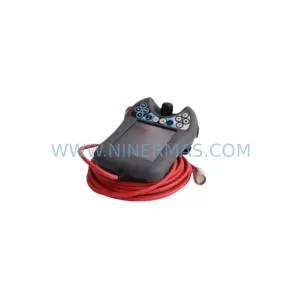
SKU: 3HAC062339-004 3HAC062339-006 lRB7600 3HAC064662-001 DSQC3037 3HAC023195-001
ABB 3HAC062339-004 Service-Ready Spare Part for Industrial Maintenance