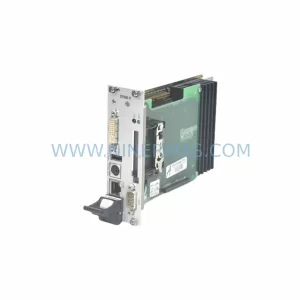
Original Industrial Spare Part
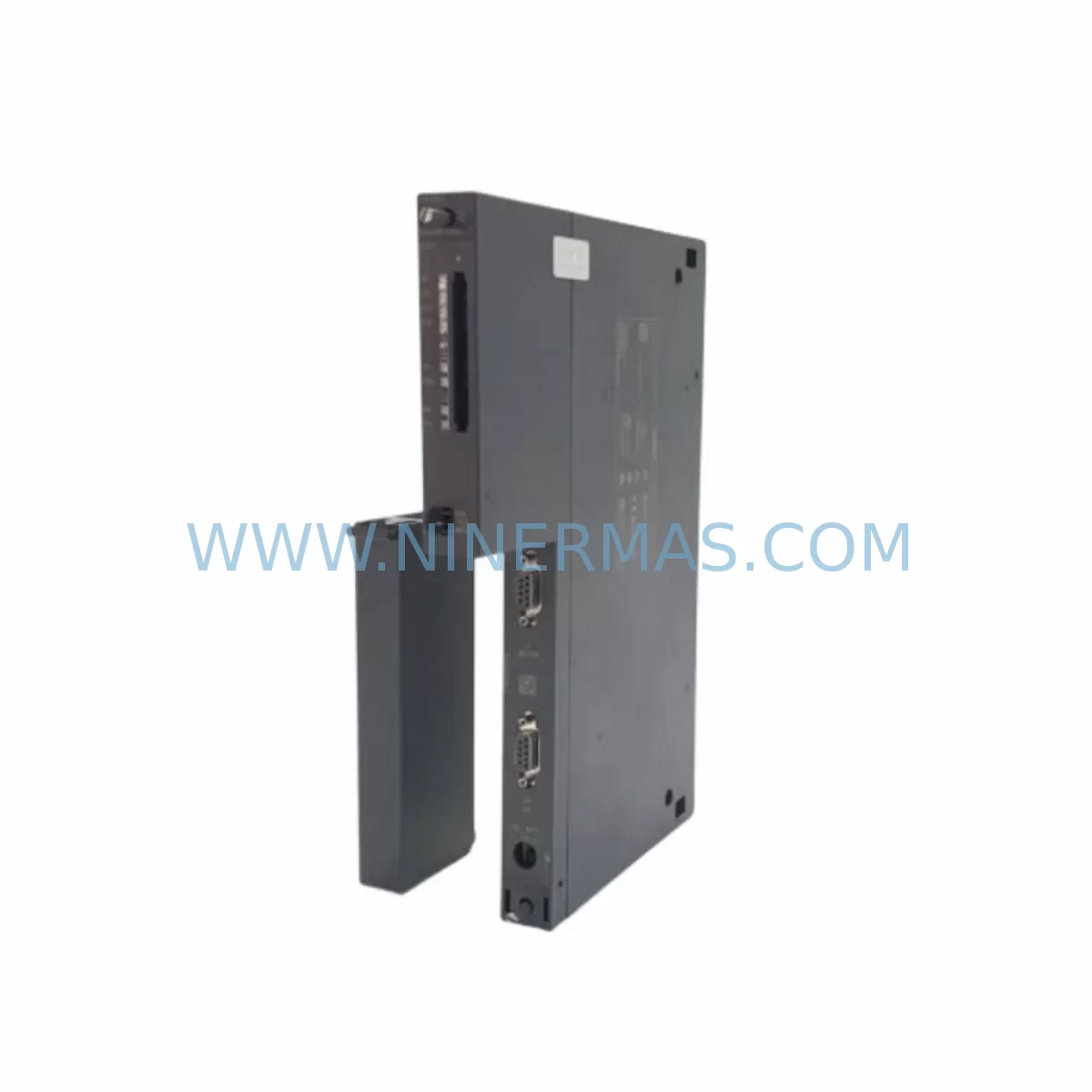
Siemens 6ES7416-2XP07-0AB0 CPU 416-2 Service-Ready Spare Part
Verify the part, confirm the platform family, and move straight into quotation with the right commercial details.
RFQ Ready
- SKU6ES7416-2XP07-0AB0
- CategoryPLC & Industrial Automation Modules
- BrandSiemens
- SupportAvailability, lead time, condition, and shipping coordination
How Buyers Usually Use This Page
- Confirm the exact part number and platform family before sending the quote request.
- Use direct email when quantity, condition, and destination are already defined internally.
- Switch to the broader brand or category archive when you need alternates nearby.
Series Navigation
Move through the most common platform families behind this part.
Product RFQ
Send this part directly for quotation.
Include quantity, required condition, destination country, and target delivery timing. Current reference: Siemens 6ES7416-2XP07-0AB0 CPU 416-2 Service-Ready Spare Part with SKU 6ES7416-2XP07-0AB0.
Siemens 6ES7416-2XP07-0AB0 CPU 416-2 Service-Ready Spare Part for Industrial Maintenance
The Siemens 6ES7416-2XP07-0AB0 is a high-performance central processing unit from the SIMATIC S7-400 series, engineered for demanding process automation, manufacturing execution, and safety-critical control environments. As a service-ready spare part, this CPU module is sourced, inspected, and dispatched to support rapid downtime recovery — whether you are managing a scheduled annual overhaul, responding to an unplanned fault, or building a strategic spare parts inventory for long-term system continuity.
Maintenance engineers and procurement teams operating legacy S7-400 installations rely on the CPU 416-2 as a cornerstone of their control cabinet redundancy strategy. With Siemens progressively phasing out older S7-400 hardware, securing a verified replacement unit of the 6ES7416-2XP07-0AB0 is essential for any facility committed to multi-year operational continuity without a full system migration.
Spare Maintenance Table
| Parameter | Specification |
|---|---|
| Part Number / SKU | 6ES7416-2XP07-0AB0 |
| Product Series | SIMATIC S7-400 |
| Module Type | CPU 416-2 Central Processing Unit |
| Manufacturer | Siemens AG |
| Origin | Germany (DE) |
| Working Memory | 4 MB (expandable via memory card) |
| Communication Interfaces | MPI/DP (integrated), 2× PROFIBUS DP master/slave |
| Cycle Time (Bit Operation) | 0.03 µs |
| Power Supply Voltage | DC 5 V (via S7-400 backplane bus) |
| Rack Compatibility | S7-400 UR1, UR2, UR2-H, CR2, CR3 racks |
| Operating Temperature | 0 °C to +60 °C |
| Protection Class | IP20 |
| Programming Software | STEP 7 V5.x / TIA Portal (with compatibility layer) |
| Firmware Version | V7.0 (as per order suffix 0AB0) |
| Replacement Compatibility | Compatible with 6ES7416-2XP05-0AB0, 6ES7416-2XP06-0AB0 |
| Maintenance Recommendation | Replace battery backup (6ES7971-0BA00) at same time |
| Pre-Shipment Testing | Power-on functional test performed before dispatch |
| Warranty | 12 Months from date of shipment |
Maintenance Planning for Continuous Operation
When a 6ES7416-2XP07-0AB0 CPU fault is identified — whether through a STOP LED indication, a watchdog timeout, or a PROFIBUS DP communication breakdown — the replacement workflow rarely ends with the CPU alone. Experienced maintenance engineers know that a CPU failure event is an opportunity to audit the entire control cabinet for latent faults and aging components that may trigger the next unplanned shutdown.
Start with the S7-400 power supply module (such as the 6ES7407-0KA02-0AA0 PS 407 10A or the 6ES7405-0KA02-0AA0 PS 405 4A). A degraded power supply is a common root cause of intermittent CPU resets and memory corruption events. Verify output voltage stability under load before commissioning the replacement CPU. Alongside the power supply, inspect the S7-400 backplane rack bus connectors — oxidized or loose rack contacts can cause sporadic communication faults that mimic CPU failures.
The CPU 416-2 integrates dual PROFIBUS DP ports, making it a hub for field device communication. During replacement, validate all PROFIBUS DP cables, bus terminators, and repeaters connected to the network. A faulty bus terminator or a broken shield on a PROFIBUS segment can prevent the new CPU from achieving a clean network startup. If the installation includes ET 200M distributed I/O racks with interface modules such as the 6ES7153-1AA03-0XB0 IM 153-1, confirm that each remote station re-establishes communication after the CPU cold restart.
For installations where the S7-400 system interfaces with safety functions, check the status of any F-CPU or safety-rated I/O modules in the same rack. If the system uses 6ES7326-1BK02-0AB0 SM 326 F-DI digital safety input modules, verify that safety program integrity is maintained after the CPU swap and that the F-signature is re-acknowledged in STEP 7 Safety. Similarly, inspect analog input modules (e.g., 6ES7431-1KF20-0AB0 SM 431) for correct scaling and signal continuity after the CPU restart.
Do not overlook the SIMATIC memory card (e.g., 6ES7952-1KK00-0AA0) seated in the CPU. If the original CPU suffered a hard fault, the memory card may have been corrupted. Always load a verified backup of the STEP 7 project from your engineering station before returning the system to production. Maintain a current backup of the CPU configuration, hardware catalog, and symbol table as part of your standard spare parts program documentation.
For facilities running SIMATIC HMI panels — such as the TP 177B or MP 377 — connected via MPI to the S7-400 CPU, confirm that the HMI communication re-establishes correctly after the CPU replacement. MPI address conflicts or incorrect baud rate settings can prevent the operator panel from reconnecting. If the plant uses CP 443-1 Ethernet communication processors for SCADA or historian connectivity, verify that the IP configuration and S7 connection table are correctly restored in the replacement CPU.
Site Replacement Workflow
Step 1 — Pre-Replacement Backup: Before removing the faulty 6ES7416-2XP07-0AB0, use STEP 7 or TIA Portal to upload and save the current CPU program, hardware configuration, and data blocks to the engineering workstation. If the CPU is in STOP state and cannot communicate, retrieve the project from the memory card using a card reader.
Step 2 — Power Down and Safe Isolation: Switch the S7-400 power supply module to OFF. Apply lockout/tagout (LOTO) procedures per your site safety protocol. Confirm that all field devices connected to the PROFIBUS DP and MPI networks are in a safe state before proceeding.
Step 3 — Module Removal: Release the CPU module from the rack by loosening the top and bottom mounting screws. Carefully disconnect the MPI/DP interface connector and remove the memory card before extracting the module. Label and retain the memory card for data recovery if required.
Step 4 — Replacement CPU Preparation: Insert the verified memory card (with the correct project loaded) into the replacement 6ES7416-2XP07-0AB0. Confirm the firmware version matches the project requirements. Install the new CPU into the rack slot, secure the mounting screws, and reconnect the interface connector.
Step 5 — Power-On and Commissioning: Restore power to the S7-400 rack. Observe the CPU LED sequence — RUN (green), STOP (yellow), and BUSF (red) indicators. A clean startup should show RUN green with no BUSF faults. Use STEP 7 online diagnostics to confirm all I/O modules, PROFIBUS DP slaves, and communication processors are recognized and fault-free.
Step 6 — Functional Verification: Perform a controlled process test to verify that all I/O signals, interlocks, and HMI displays are operating correctly. Document the replacement event in your maintenance management system (CMMS) with the new module serial number, firmware version, and test results.
This structured workflow minimizes total downtime to under two hours for a prepared maintenance team, preserves system compatibility, and ensures full traceability for audit and warranty purposes.
Spare Parts Support FAQ
Q1: Is the 6ES7416-2XP07-0AB0 compatible with earlier CPU 416-2 firmware versions?
The 0AB0 firmware suffix (V7.0) is backward-compatible with STEP 7 projects developed for earlier 6ES7416-2XP05-0AB0 and 6ES7416-2XP06-0AB0 variants in most standard automation applications. However, if your project uses firmware-specific features or safety functions, we recommend verifying the firmware version against your STEP 7 project properties before installation. Our technical team can assist with compatibility confirmation prior to shipment.
Q2: How is the spare part tested before shipment?
Every 6ES7416-2XP07-0AB0 unit undergoes a power-on functional test on an S7-400 test rack before dispatch. The test verifies CPU startup, memory integrity, PROFIBUS DP port communication, and LED status indication. A test report is available upon request. Units are shipped in anti-static packaging with protective foam inserts to prevent transit damage.
Q3: What is the recommended spare parts inventory strategy for S7-400 CPU modules?
For facilities with three or more S7-400 racks in production, we recommend maintaining at least one cold-standby 6ES7416-2XP07-0AB0 unit on-site. Given the extended lead times for legacy Siemens S7-400 hardware, a local spare eliminates procurement delays during emergency shutdowns. For multi-site operations, a centralized regional spare pool with documented loan and return procedures is an effective cost-control strategy.
Q4: What warranty and long-term supply commitment does NINERMAS provide?
All spare parts supplied by NINERMAS carry a 12-month warranty from the date of shipment, covering manufacturing defects and functional failures under normal operating conditions. For critical S7-400 CPU modules, we maintain a dedicated inventory buffer to support long-term procurement programs. Customers with annual maintenance contracts or multi-year spare parts agreements receive priority allocation and fixed pricing. Contact our team at sale@ninermas.com to discuss a tailored supply agreement.
| Product Series | SIMATIC |
|---|---|
| Country of Origin | DE |
Catalog Continuation
More Siemens modules in the catalog.
Use the brand lane to compare nearby part numbers, platform-adjacent modules, and other inquiry-ready listings before sending your final RFQ.
Catalog Continuation
Alternative parts within PLC & Industrial Automation Modules.
Stay inside the same system family when you need substitutes, adjacent modules, or a broader shortlist for procurement review.