
Original Industrial Spare Part
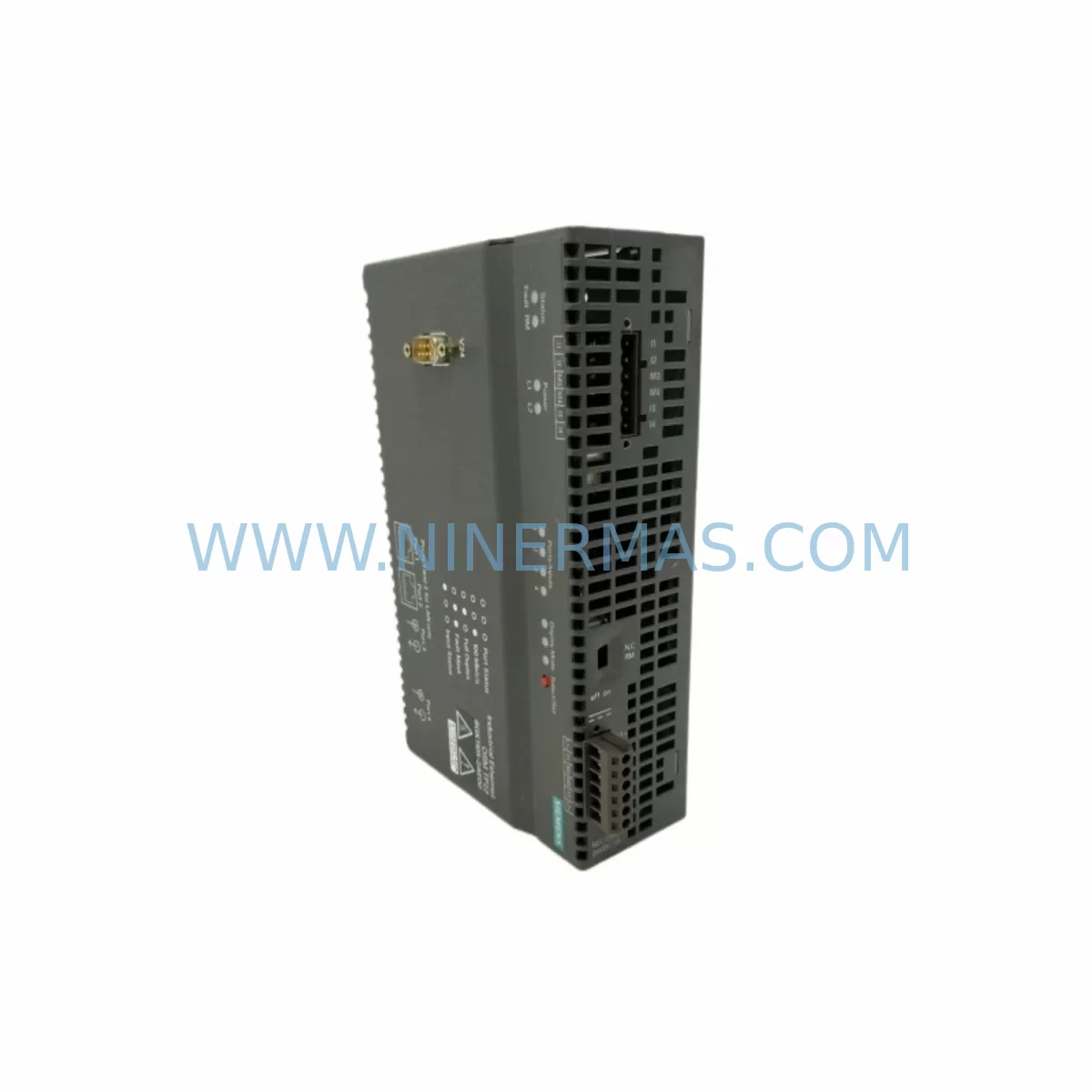
SIEMENS 6GK1105-2AE00 Retrofit-Compatible Ethernet Switch
Verify the part, confirm the platform family, and move straight into quotation with the right commercial details.
RFQ Ready
- SKU6GK1105-2AE00
- CategoryPLC & Industrial Automation Modules
- BrandSiemens
- SupportAvailability, lead time, condition, and shipping coordination
How Buyers Usually Use This Page
- Confirm the exact part number and platform family before sending the quote request.
- Use direct email when quantity, condition, and destination are already defined internally.
- Switch to the broader brand or category archive when you need alternates nearby.
Series Navigation
Move through the most common platform families behind this part.
Product RFQ
Send this part directly for quotation.
Include quantity, required condition, destination country, and target delivery timing. Current reference: SIEMENS 6GK1105-2AE00 Retrofit-Compatible Ethernet Switch with SKU 6GK1105-2AE00.
SIEMENS 6GK1105-2AE00 Retrofit-Compatible Ethernet Switch for Legacy System Modernization
The SIEMENS 6GK1105-2AE00 is a ruggedized industrial Ethernet switch module engineered for demanding automation environments. As legacy control networks age and original equipment reaches end-of-life, the 6GK1105-2AE00 serves as a proven retrofit solution for engineers tasked with modernizing existing PROFINET, Industrial Ethernet, and SIMATIC-based architectures without full system replacement. Whether you are upgrading a SIMATIC S7-300 or S7-400 control cabinet, migrating from older SINEC H1 network infrastructure, or extending the operational life of a legacy production line, this module delivers the switching performance and environmental resilience required for continuous industrial operation.
Upgrade Compatibility Table
| Parameter | Details |
|---|---|
| SKU / Part Number | 6GK1105-2AE00 |
| Series | Siemens SCALANCE X / OSM (Optical Switch Module) |
| Port Configuration | Managed Fast Ethernet; supports copper and fiber uplinks |
| Communication Protocol | Industrial Ethernet (IEEE 802.3), PROFINET-compatible network layer |
| Installation | DIN rail or panel mount; fits standard 35 mm DIN rail in control cabinets |
| Power Supply Compatibility | 24 VDC nominal; verify existing PSU capacity before installation |
| Legacy Replacement Path | Replaces discontinued OSM/ESM modules in SIMATIC NET infrastructure |
| Backplane / Rack Interface | Standalone module; external Ethernet cabling to PLC CPU or CP module |
| Commissioning Requirement | STEP 7 or TIA Portal network configuration; PROFINET device naming required |
| Warranty | 12 Months — Covered by NINERMAS COMPANY LIMITED |
Retrofit Planning for Existing Automation Systems
Successful integration of the 6GK1105-2AE00 into a legacy automation environment begins with a thorough site survey. Engineers must document the existing network topology, including the number of active nodes, cable runs, and the location of any fiber optic segments. In many retrofit projects, the 6GK1105-2AE00 is installed alongside a SIMATIC S7-300 CPU 315-2 PN/DP or a CPU 317-2 PN/DP, where it provides the managed switching layer that the original unmanaged hubs or early SCALANCE X005 units could not deliver.
Before powering down the existing network segment, confirm that the installed SITOP PSU100S 24V/5A or equivalent power supply module can support the additional current draw of the new switch. The 6GK1105-2AE00 operates at 24 VDC and draws modest power, but aging power supply units in legacy cabinets may already be running near capacity, particularly when paired with multiple ET 200S distributed I/O stations or IM 151-1 interface modules on the same rail.
Terminal wiring adaptation is a common challenge during retrofit. Older cabinets may use WAGO 750-series terminal blocks or Siemens-specific screw terminals that require adapter cables or re-termination to match the RJ45 or SC fiber connectors on the 6GK1105-2AE00. Document all existing cable labels before disconnection and verify continuity after re-termination to prevent communication faults during startup.
For systems that include a CP 343-1 Advanced or CP 443-1 EX communications processor, the 6GK1105-2AE00 must be assigned a PROFINET device name and IP address consistent with the existing network configuration stored in the PLC project. Use STEP 7 v5.6 or TIA Portal V16 and above to assign the device name via the Accessible Devices function before integrating the switch into the live network segment.
In projects involving SIMATIC HMI TP1200 Comfort or MP377 panels, verify that the HMI Ethernet port is connected through the new switch and that the panel IP address and PLC connection parameters remain unchanged. HMI screen updates and tag communication should be validated in simulation mode before going live to avoid operator interface disruptions during the cutover window.
Where the retrofit involves I/O expansion — for example, adding ET 200SP HA remote I/O stations to a previously standalone control loop — the 6GK1105-2AE00 provides the additional managed ports needed to accommodate new PROFINET devices without replacing the entire network backbone. This is particularly valuable in phased upgrade projects where budget constraints require incremental modernization over multiple maintenance windows.
Signal isolators such as the SIEMENS SITRANS I series or third-party DIN rail isolators may be required when integrating legacy 4-20 mA analog signals into the new digital network architecture. These isolators protect the new Ethernet infrastructure from ground loops and electrical noise common in older control cabinets that were not originally designed for high-speed data communication.
Downtime Control During System Migration
Minimizing unplanned downtime is the primary concern for any plant engineer undertaking a network retrofit. When replacing a legacy switch or hub with the 6GK1105-2AE00, the recommended approach is to pre-configure the new module on a bench setup using a laptop running TIA Portal or STEP 7, assigning the correct PROFINET device name and verifying port settings before the scheduled maintenance window begins.
During the cutover, work node by node rather than disconnecting the entire network simultaneously. Reconnect each PLC CPU, CP module, HMI panel, and remote I/O station one at a time, verifying communication status in the diagnostics buffer after each connection. This approach preserves the original program logic in the PLC retentive memory and allows the control system to resume normal operation for each subsystem as soon as its network link is restored.
Maintain a rollback plan by keeping the original switch or hub accessible and unpowered but still physically connected via a spare port. If a critical communication fault occurs during cutover, the original device can be reactivated within minutes, restoring production while the fault is diagnosed. Once all nodes are confirmed operational on the 6GK1105-2AE00, the legacy device can be permanently decommissioned.
For facilities operating 24/7 with no scheduled downtime windows, consider a parallel network approach: install the 6GK1105-2AE00 on a secondary network segment and migrate non-critical nodes first, validating performance over several production shifts before migrating the primary control loop. This strategy is particularly effective in food and beverage, pharmaceutical, and continuous process industries where even brief interruptions carry significant cost.
All units supplied by NINERMAS are subject to outgoing quality inspection and functional testing prior to shipment, ensuring that the 6GK1105-2AE00 arrives ready for immediate installation. In-stock inventory is maintained to support urgent retrofit and breakdown replacement requirements, with standard lead times confirmed at order placement.
Retrofit Support FAQ
Q1: Is the 6GK1105-2AE00 a direct drop-in replacement for discontinued OSM and ESM modules in SIMATIC NET systems?
The 6GK1105-2AE00 is designed for the same application space as earlier SCALANCE X and OSM-series modules and is compatible with standard Industrial Ethernet wiring conventions. However, port count, fiber connector type, and management interface may differ from the specific discontinued model being replaced. We recommend confirming the port configuration and connector type against your existing cabinet layout before ordering. Our technical team can assist with compatibility verification.
Q2: What commissioning steps are required after installation?
After physical installation and wiring, assign the PROFINET device name using TIA Portal or STEP 7 via the Accessible Devices or Edit Ethernet Node function. Verify IP address assignment, confirm port link status LEDs, and check the PLC diagnostics buffer for any network fault entries. HMI connections and remote I/O communication should be validated before returning the system to automatic mode.
Q3: Can this module be used in cabinets with mixed 24 VDC and 120/240 VAC power distribution?
Yes. The 6GK1105-2AE00 operates on 24 VDC supplied from a dedicated DC bus or SITOP power supply module. It does not require AC power directly. Ensure that the 24 VDC supply rail has sufficient residual capacity after accounting for all connected modules, including I/O stations, CP modules, and any additional network devices sharing the same supply.
Q4: What warranty and supply terms apply to this unit?
All 6GK1105-2AE00 units supplied by NINERMAS COMPANY LIMITED carry a 12-month warranty covering manufacturing defects and functional failures under normal operating conditions. Units are tested prior to shipment. We maintain stock inventory to support both planned retrofit projects and emergency breakdown replacements. Contact our sales team for lead time confirmation and volume pricing.
—
| Product Series | SIMATIC |
|---|---|
| Country of Origin | DE |
Catalog Continuation
More Siemens modules in the catalog.
Use the brand lane to compare nearby part numbers, platform-adjacent modules, and other inquiry-ready listings before sending your final RFQ.

SKU: 6FC5357-0BB12-0AE0
Siemens 6FC5357-0BB12-0AE0 Service-Ready Industrial Spare Part
SKU: 6SL3224-0BE32-2UA0
Siemens 6SL3224-0BE32-2UA0 Retrofit PM240 Power Module
Catalog Continuation
Alternative parts within PLC & Industrial Automation Modules.
Stay inside the same system family when you need substitutes, adjacent modules, or a broader shortlist for procurement review.
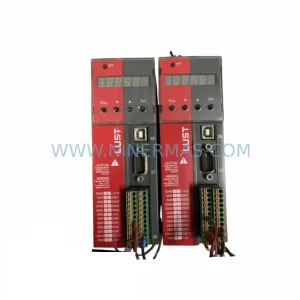
SKU: SC34.0300.0011.0000.0-JW1 SC34.0300.0011.0000.0
LUST SC34.0300.0011.0000.0-JW1 Service-Ready Spare Part
SKU: LSC-096-2-30-560-P5B0H2MM0
LTi Motion LSC-096-2-30-560-P5B0H2MM0 Retrofit Servo Drive
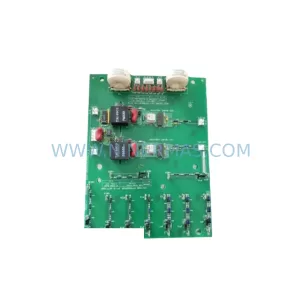
SKU: DS200SHVMG1AFE
GE DS200SHVMG1AFE Retrofit-Compatible Interface Module



