Original Industrial Spare Part
Honeywell SC-UCMX02 Service-Ready Industrial Maintenance Spare
Verify the part, confirm the platform family, and move straight into quotation with the right commercial details.
RFQ Ready
- SKUSC-UCMX02
- CategorySIS Safety & Redundancy Systems
- BrandHoneywell
- SupportAvailability, lead time, condition, and shipping coordination
How Buyers Usually Use This Page
- Confirm the exact part number and platform family before sending the quote request.
- Use direct email when quantity, condition, and destination are already defined internally.
- Switch to the broader brand or category archive when you need alternates nearby.
Series Navigation
Move through the most common platform families behind this part.
Product RFQ
Send this part directly for quotation.
Include quantity, required condition, destination country, and target delivery timing. Current reference: Honeywell SC-UCMX02 Service-Ready Industrial Maintenance Spare with SKU SC-UCMX02.
Honeywell SC-UCMX02 Service-Ready Industrial Maintenance Spare: Spare Replacement and Downtime Risk Control
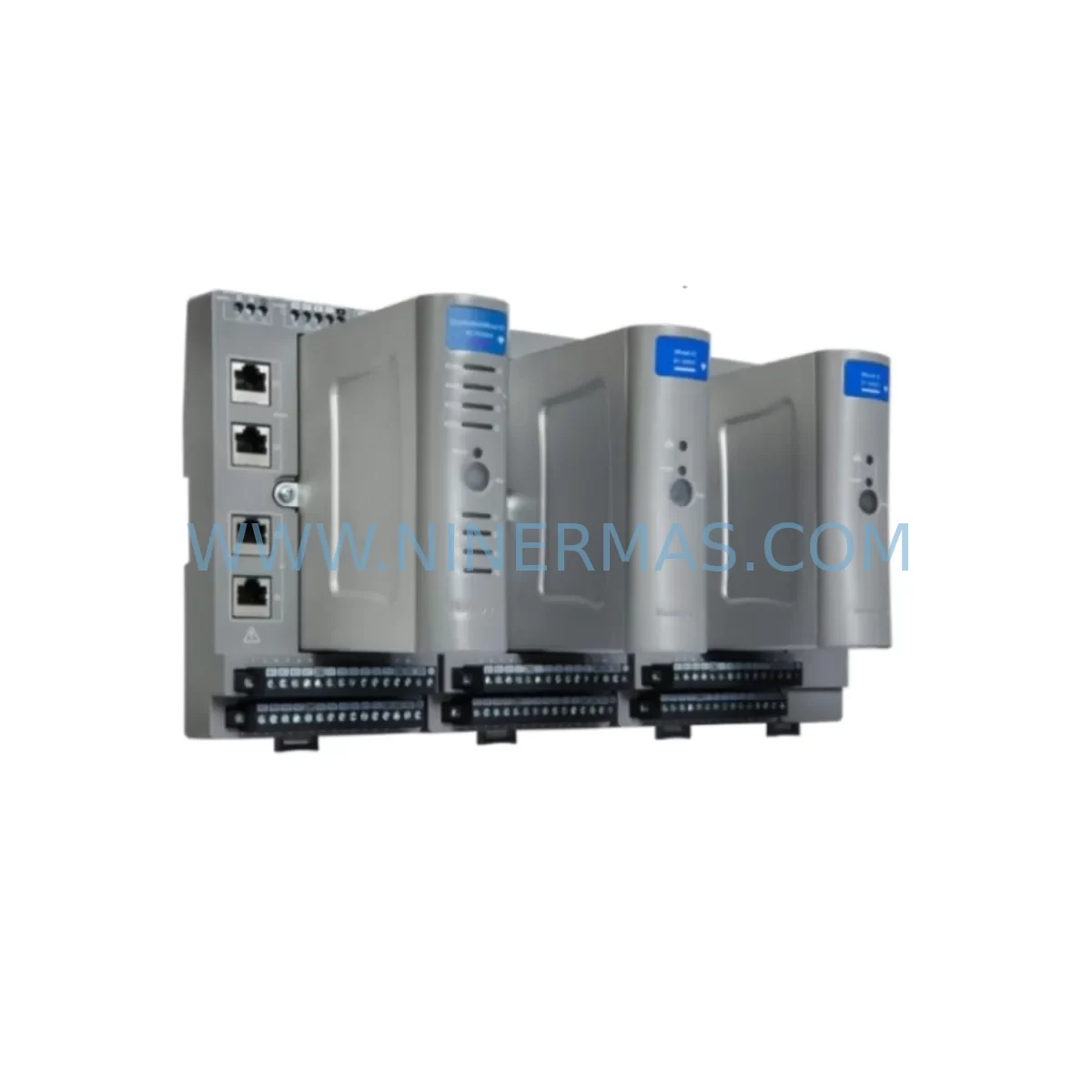
The Honeywell SC-UCMX02 is a Universal Communication Module designed for the Honeywell Safety Manager (SM) platform — one of the most widely deployed safety instrumented systems (SIS) in the process automation industry. As a critical interface component within the SC-series safety controller architecture, the SC-UCMX02 manages communication between the Safety Manager CPU and field devices, distributed I/O, or supervisory control networks. When this module fails or degrades, the entire safety loop is at risk, making rapid, verified spare part replacement a non-negotiable priority for maintenance engineers and plant reliability teams.
At NINERMAS, every SC-UCMX02 unit is sourced as an original Honeywell spare, pre-shipment tested, and dispatched with a 12-month warranty. Our service-ready inventory is maintained specifically for emergency replacement, planned annual shutdowns, and long-term spare parts stocking programs — ensuring your Safety Manager system remains operational and compliant with IEC 61511 functional safety requirements.
Spare Maintenance Table
| Parameter | Specification / Detail |
|---|---|
| Part Number | SC-UCMX02 |
| Manufacturer | Honeywell |
| Series | Safety Manager (SC Series) |
| Module Type | Universal Communication Module |
| Platform Compatibility | Honeywell Safety Manager SM, FSC (Fail-Safe Controller) systems |
| Communication Interfaces | Supports Modbus, PROFIBUS, and proprietary Honeywell SM bus protocols |
| Operating Voltage | 24 VDC (supplied via backplane) |
| Operating Temperature | 0°C to +60°C (32°F to 140°F) |
| Mounting | DIN rail / backplane slot installation within SM chassis |
| Certification | SIL 2 / SIL 3 capable (per IEC 61508 / IEC 61511) |
| Application Environment | Oil & gas, petrochemical, power generation, chemical processing, offshore platforms |
| Maintenance Recommendation | Inspect every 12 months; replace immediately upon communication fault or diagnostic alarm |
| Spare Part Condition | Original Honeywell, new or refurbished-to-spec, pre-shipment tested |
| Warranty | 12 months from date of shipment |
| Lead Time | In-stock; same-day or next-business-day dispatch available |
Maintenance Planning for Continuous Operation
Replacing the SC-UCMX02 in isolation is rarely sufficient for a complete safety system restoration. Experienced maintenance engineers understand that a communication module fault is often a symptom of broader electrical or environmental stress within the control cabinet. A structured inspection of adjacent components is essential to prevent repeat failures and ensure the Safety Manager system returns to full SIL-rated operation.
When servicing the SC-UCMX02, begin by verifying the integrity of the SC-PCIE01 processor interface module, which coordinates data exchange between the CPU and communication layers. A degraded SC-PCIE01 can cause intermittent communication faults that are incorrectly attributed to the UCMX02. Similarly, inspect the SC-PCMX01 communication processor module for firmware version alignment and hardware wear, particularly in systems that have been in continuous operation for more than five years.
Power quality is a leading cause of communication module degradation. Audit the 51309276-150 power supply module for output voltage stability and ripple. An aging or undersized power supply delivering marginal 24 VDC to the backplane will stress all installed modules, including the SC-UCMX02. Cross-reference with the 51401642-150 redundant power supply if your system is configured for power redundancy — both units should be tested under load conditions during the maintenance window.
I/O integrity is equally critical. Review the CC-PAIH01 analog input module and CC-TDIL01 digital input module for signal drift, wiring termination quality, and channel-level diagnostics. Loose or corroded terminal connections on these modules can introduce noise that propagates through the communication bus, causing the SC-UCMX02 to log spurious errors. Terminal blocks and field wiring should be re-torqued to manufacturer specifications during any planned replacement activity.
For systems using PROFIBUS or Modbus field networks, inspect the 51304453-150 communication interface card and verify that network termination resistors are correctly installed at both ends of the bus segment. A missing or failed termination resistor is a common root cause of communication instability that can mask or mimic SC-UCMX02 faults. Additionally, review the FS-SICC-0001/L1 signal isolator and conditioner for any signs of thermal stress or insulation breakdown, particularly in high-ambient-temperature installations.
Finally, do not overlook the Safety Manager backplane chassis itself. Inspect the backplane connector pins for oxidation or mechanical damage, and verify that all module retention latches are fully engaged. A partially seated SC-UCMX02 will produce intermittent faults that are difficult to diagnose without physical inspection. For older SM systems approaching end-of-life, consider stocking the TC-CCR014 controller chassis as a long-term retrofit option to extend system service life beyond the original hardware lifecycle.
Site Replacement Workflow
Step 1 — Pre-Replacement Verification: Before removing the SC-UCMX02, download the current system configuration and diagnostic logs from the Safety Manager engineering workstation. Confirm the replacement unit’s firmware version matches the installed system requirements. NINERMAS provides firmware version confirmation upon request prior to shipment.
Step 2 — Safe Isolation: Follow your site’s Management of Change (MOC) and Permit to Work (PTW) procedures. Place the Safety Manager in bypass mode per IEC 61511 maintenance override protocols. Do not remove the SC-UCMX02 while the safety loop is in active demand mode.
Step 3 — Module Removal and Inspection: Power down the affected chassis slot if hot-swap is not supported. Remove the SC-UCMX02 and inspect the backplane connector for damage. Clean the slot with compressed air if contamination is present.
Step 4 — Installation and Configuration: Insert the replacement SC-UCMX02 and secure the retention latch. Power up the chassis and allow the module to complete its self-diagnostic cycle. Reload the communication configuration from the engineering workstation and verify all network nodes are recognized.
Step 5 — Functional Verification: Perform a full communication loop test, confirming data integrity across all connected I/O modules and field devices. Verify that no diagnostic alarms are active before releasing the system from bypass mode. Document the replacement in your maintenance management system (CMMS) with the new module’s serial number and warranty start date.
This workflow minimizes downtime, maintains system compatibility, and ensures the replacement SC-UCMX02 is fully validated before returning the safety system to operational status.
Spare Parts Support FAQ
Q1: Is the SC-UCMX02 available as a new original Honeywell part, or only as a refurbished unit?
NINERMAS stocks both new original and professionally refurbished-to-specification SC-UCMX02 units. All refurbished units undergo full functional testing, firmware verification, and electrical inspection before dispatch. Each unit ships with a 12-month warranty regardless of condition grade. Please specify your preference when placing an inquiry.
Q2: How do I confirm compatibility between the SC-UCMX02 and my existing Safety Manager system version?
Compatibility depends on your Safety Manager firmware version and chassis configuration. Provide your SM system version number and existing module part numbers when contacting NINERMAS. Our technical team will confirm compatibility and, where required, advise on firmware alignment before shipment. We do not dispatch units where compatibility cannot be confirmed.
Q3: What is the recommended spare parts stocking strategy for the SC-UCMX02 in a critical process plant?
For plants operating continuous processes (oil & gas, petrochemical, power generation), we recommend maintaining a minimum of one SC-UCMX02 per Safety Manager chassis as an on-site cold spare. For multi-chassis installations or systems with no local repair capability, a two-unit buffer is advisable. NINERMAS offers reserved inventory agreements for customers requiring guaranteed long-term supply of end-of-life or limited-availability Honeywell Safety Manager components.
Q4: What pre-shipment testing does NINERMAS perform on the SC-UCMX02?
Every SC-UCMX02 dispatched by NINERMAS undergoes a structured pre-shipment test protocol including: power-on self-diagnostic verification, communication interface functional test, firmware version confirmation, visual inspection for physical damage, and ESD-safe packaging. A test report is available upon request. Units that do not pass all test criteria are not dispatched. The 12-month warranty covers manufacturing defects and functional failures under normal operating conditions.
| Product Series | Safety Manager |
|---|---|
| Country of Origin | US |
Catalog Continuation
More Honeywell modules in the catalog.
Use the brand lane to compare nearby part numbers, platform-adjacent modules, and other inquiry-ready listings before sending your final RFQ.

Catalog Continuation
Alternative parts within SIS Safety & Redundancy Systems.
Stay inside the same system family when you need substitutes, adjacent modules, or a broader shortlist for procurement review.
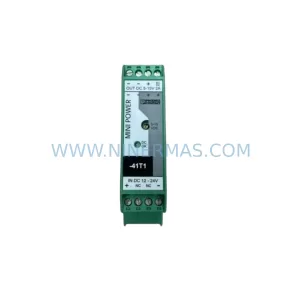
SKU: MINI-PS/12-24DC/5-15DC/2 2320018
Phoenix Contact MINI-PS/12-24DC/5-15DC/2 2320018 DC Power Supply