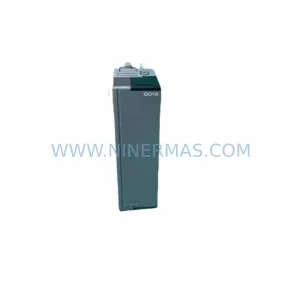
Original Industrial Spare Part
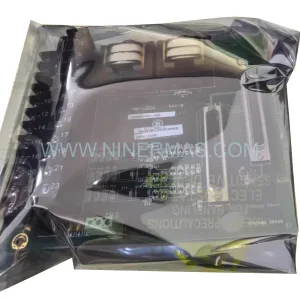
GE IC649AEA102 Service-Ready Spare Part for Industrial Maintenance
Verify the part, confirm the platform family, and move straight into quotation with the right commercial details.
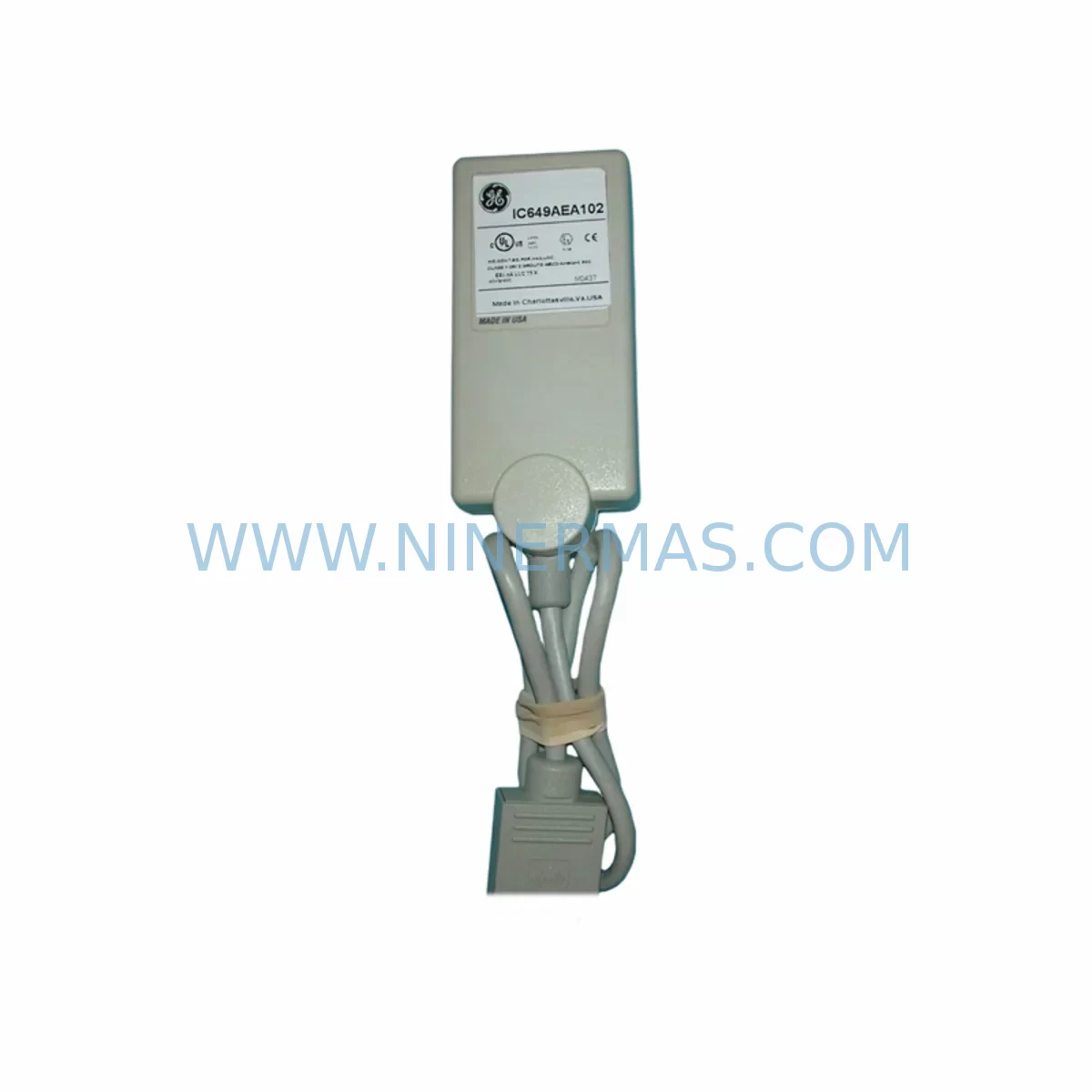
RFQ Ready
- SKUIC649AEA102
- CategoryPLC & Industrial Automation Modules
- BrandGE
- SupportAvailability, lead time, condition, and shipping coordination
How Buyers Usually Use This Page
- Confirm the exact part number and platform family before sending the quote request.
- Use direct email when quantity, condition, and destination are already defined internally.
- Switch to the broader brand or category archive when you need alternates nearby.
Series Navigation
Move through the most common platform families behind this part.
Product RFQ
Send this part directly for quotation.
Include quantity, required condition, destination country, and target delivery timing. Current reference: GE IC649AEA102 Service-Ready Spare Part for Industrial Maintenance with SKU IC649AEA102.
GE IC649AEA102 Service-Ready Spare Part for Industrial Maintenance
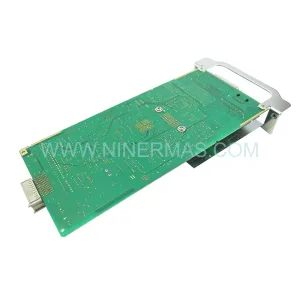
The GE IC649AEA102 is an original Ethernet Interface module designed for the GE Series 90 programmable logic controller platform — one of the most widely deployed PLC families in discrete manufacturing, process control, and utility automation. For maintenance engineers managing aging Series 90 infrastructure, sourcing a verified, service-ready IC649AEA102 is critical to minimizing unplanned downtime and sustaining network-dependent control architectures.
At NINERMAS, every IC649AEA102 unit is inspected, function-tested, and shipped with a 12-month warranty, giving procurement and maintenance teams the confidence to stock this module as a primary or secondary spare. Whether you are responding to an active fault, building a preventive spare parts kit, or executing a scheduled annual overhaul, the IC649AEA102 is available for immediate dispatch.
Spare Maintenance Table
| Parameter | Specification / Detail |
|---|---|
| Part Number | IC649AEA102 |
| Brand | GE / GE Fanuc |
| Series | Series 90 (90-30 / 90-70 compatible) |
| Module Type | Ethernet Interface Module |
| Communication Protocol | Ethernet TCP/IP, SRTP, Modbus TCP |
| Network Interface | 10/100 Mbps RJ-45 |
| Backplane Compatibility | Series 90-30 CPU rack / expansion rack |
| Power Consumption | Supplied via backplane (5 VDC) |
| Operating Temperature | 0°C to 60°C (32°F to 140°F) |
| Relative Humidity | 5% to 95% non-condensing |
| Mounting | DIN rail / rack slot installation |
| Origin | United States |
| Condition | Original / Tested Spare |
| Warranty | 12 Months (NINERMAS) |
| Shipping | Inspected & tested before dispatch |
| Application | Industrial PLC network integration, SCADA connectivity, remote I/O communication |
| Maintenance Recommendation | Replace alongside CPU module IC693CPU374 or IC693CPU375 during major overhauls; verify firmware revision compatibility before installation |
Maintenance Planning for Continuous Operation
When a Series 90 Ethernet Interface module such as the IC649AEA102 is flagged for replacement — whether due to communication faults, LED error codes, or a scheduled lifecycle refresh — experienced maintenance engineers know that the module rarely fails in isolation. A thorough site inspection and coordinated spare parts review is essential to restoring full system integrity and preventing repeat failures.
Begin by auditing the CPU module seated in the same rack. The IC693CPU374 and IC693CPU375 are the most common CPU companions to the IC649AEA102 in Series 90-30 deployments. Check firmware revision levels and confirm that the replacement Ethernet module’s firmware is compatible with the installed CPU version. A mismatch here is a frequent cause of post-replacement communication instability.
Next, inspect the rack power supply. The IC693PWR321 and IC693PWR330 are standard 24 VDC and 120/240 VAC power supply modules for Series 90-30 racks. Ethernet interface modules are sensitive to voltage ripple and supply degradation — a marginal power supply that has not been replaced in several years may be contributing to intermittent communication drops that are incorrectly attributed to the interface module itself.
Review the backplane and rack assembly. Connector oxidation, bent pins, or cracked backplane traces on the Series 90-30 base rack can cause sporadic module faults. If the IC649AEA102 is being replaced due to repeated failures, the backplane itself — such as the IC693CHS391 or IC693CHS397 expansion chassis — should be inspected and potentially replaced as part of the same maintenance window.
For sites using the IC649AEA102 to bridge PLC data to SCADA or historian systems, also verify the integrity of the Ethernet patch cables and managed switch ports connected to the module. Industrial-grade Cat5e or Cat6 shielded cables should be used in environments with high EMI. If the site uses a signal isolator or surge protection device on the network line, confirm these are functioning correctly before commissioning the replacement module.
Discrete I/O modules in the same rack — such as the IC693MDL645 (16-point 24 VDC input) or IC693MDL741 (16-point relay output) — should be checked for loose terminal connections and proper grounding. Poor grounding in the control cabinet is a systemic issue that can cause Ethernet communication errors and should be corrected during the same maintenance visit.
If the Series 90 system communicates with remote I/O drops via Genius Bus, inspect the IC693BEM331 Bus Interface Module and associated Genius Bus Controller. Communication faults on the Ethernet side sometimes mask underlying Genius Bus degradation that will surface after the Ethernet module is replaced.
Finally, for sites with HMI panels — such as GE QuickPanel or third-party operator terminals — connected via Ethernet to the Series 90 CPU, verify that the HMI’s IP configuration and SRTP driver settings are updated to reflect any changes made during the module replacement. An HMI that loses its PLC connection after a module swap is a common post-maintenance call that is easily prevented with a pre-commissioning checklist.
NINERMAS maintains long-term stock of Series 90 spare parts to support multi-year maintenance contracts and annual overhaul programs. Procurement engineers are encouraged to establish a standing spare parts agreement to ensure IC649AEA102 availability without lead-time risk.
Site Replacement Workflow
Step 1 — Pre-Replacement Verification: Confirm the fault is isolated to the IC649AEA102 by checking the module’s status LEDs (OK, LAN, and TX/RX indicators). Document the existing IP address, subnet mask, gateway, and SRTP configuration using the PLC programming software (Proficy Machine Edition or Logicmaster 90) before powering down.
Step 2 — Safe Isolation: Follow site LOTO (Lockout/Tagout) procedures. Power down the rack using the installed power supply module. Do not hot-swap the IC649AEA102 unless the system design explicitly supports it — most Series 90-30 configurations require a full rack power cycle for module replacement.
Step 3 — Physical Replacement: Remove the faulty IC649AEA102 by releasing the module locking tab and sliding it out of the rack slot. Insert the replacement module, ensuring the backplane connector is fully seated. Secure the locking tab.
Step 4 — Configuration Restore: Power up the rack and use Proficy Machine Edition or the legacy Logicmaster 90 software to restore the Ethernet configuration (IP address, SRTP connections, channel parameters). Verify that the CPU recognizes the module and that no I/O fault codes are present.
Step 5 — Communication Test: Ping the module’s IP address from the engineering workstation. Confirm SCADA or HMI connectivity. Verify that all configured SRTP or Modbus TCP connections are re-established. Log the replacement in the site maintenance record.
This workflow is designed to minimize rack downtime to under 30 minutes for a prepared maintenance team. NINERMAS ships all IC649AEA102 units with a pre-shipment test report to accelerate on-site commissioning.
Spare Parts Support FAQ
Q1: Is the IC649AEA102 still available as a new or tested original spare?
Yes. NINERMAS maintains stock of IC649AEA102 units sourced from original production runs and verified through functional testing. Each unit is inspected for physical integrity and communication performance before shipment. A 12-month warranty is included with every order, covering defects in materials and workmanship under normal operating conditions.
Q2: How do I confirm compatibility between the IC649AEA102 and my existing Series 90-30 CPU?
Compatibility is determined by the CPU firmware revision and the rack configuration. The IC649AEA102 is compatible with Series 90-30 CPUs including the IC693CPU374 and IC693CPU375 running supported firmware versions. Provide your CPU catalog number and firmware revision to the NINERMAS technical team and we will confirm compatibility before shipment.
Q3: What is the recommended spare parts inventory strategy for Series 90 Ethernet modules?
For production-critical systems, we recommend holding a minimum of one IC649AEA102 per installed system as an on-site hot spare, with a secondary unit held at the regional warehouse or maintenance depot. Given that GE Series 90 is a mature platform with no new production, lead times for sourcing can be unpredictable. A standing supply agreement with NINERMAS ensures priority allocation and eliminates emergency procurement risk.
Q4: Does NINERMAS provide long-term supply support for IC649AEA102 and other Series 90 modules?
Yes. NINERMAS specializes in long-lifecycle spare parts support for legacy automation platforms including GE Series 90, Series 90-30, and Series 90-70. We offer multi-year supply agreements, consignment stock programs, and priority reservation for high-volume customers. Contact our team to discuss a customized spare parts support plan for your facility.
| Product Series | Fanuc |
|---|---|
| Country of Origin | US |
Catalog Continuation
More GE modules in the catalog.
Use the brand lane to compare nearby part numbers, platform-adjacent modules, and other inquiry-ready listings before sending your final RFQ.
Catalog Continuation
Alternative parts within PLC & Industrial Automation Modules.
Stay inside the same system family when you need substitutes, adjacent modules, or a broader shortlist for procurement review.