Original Industrial Spare Part
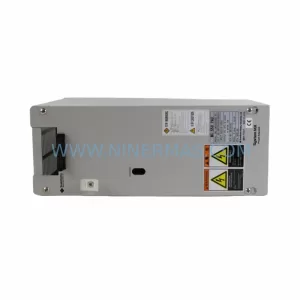
Sumitomo MC78IO Retrofit-Compatible Drive Power for Legacy Systems
Verify the part, confirm the platform family, and move straight into quotation with the right commercial details.
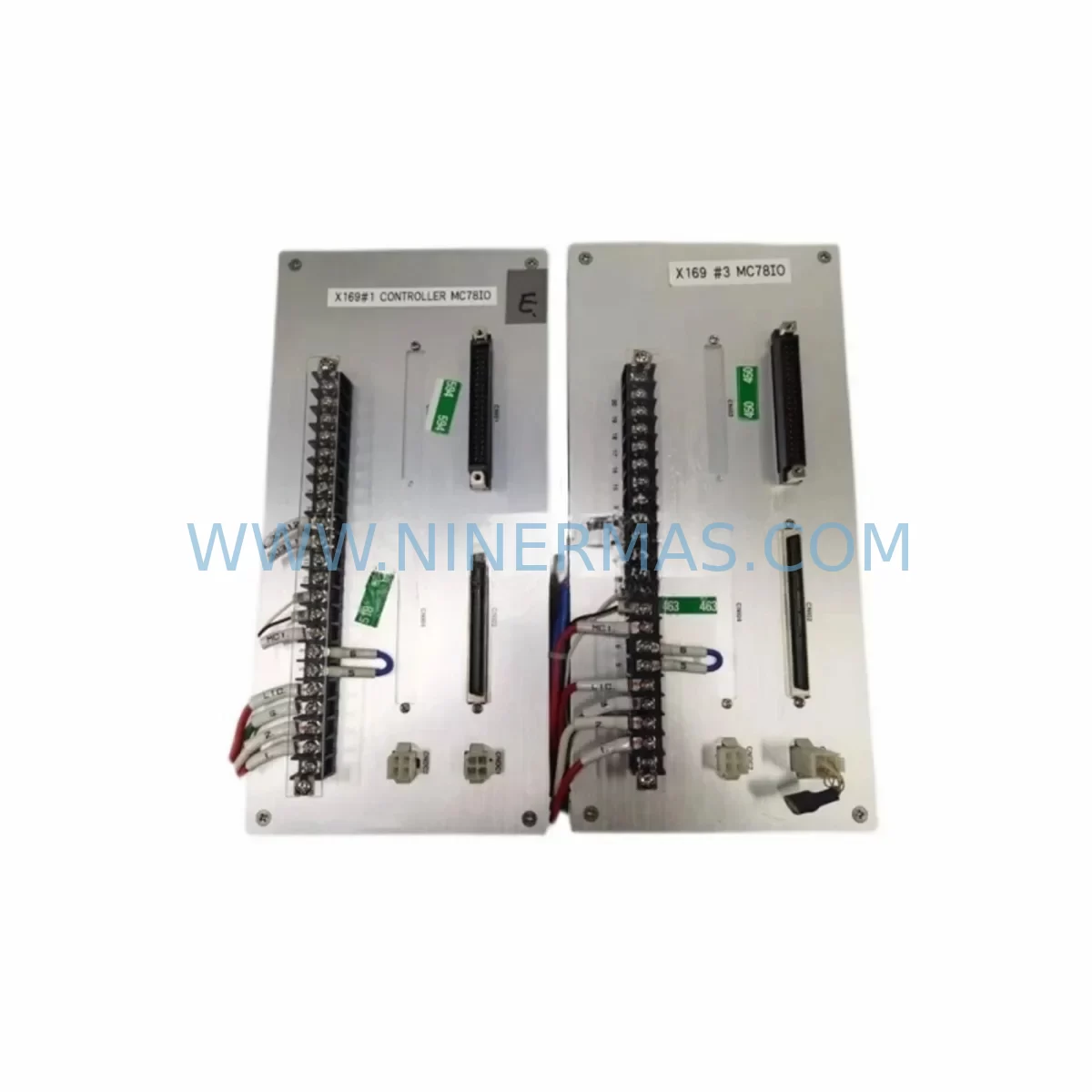
RFQ Ready
- SKUMC78IO
- CategoryPLC & Industrial Automation Modules
- BrandSumitomo
- SupportAvailability, lead time, condition, and shipping coordination
How Buyers Usually Use This Page
- Confirm the exact part number and platform family before sending the quote request.
- Use direct email when quantity, condition, and destination are already defined internally.
- Switch to the broader brand or category archive when you need alternates nearby.
Series Navigation
Move through the most common platform families behind this part.
Product RFQ
Send this part directly for quotation.
Include quantity, required condition, destination country, and target delivery timing. Current reference: Sumitomo MC78IO Retrofit-Compatible Drive Power for Legacy Systems with SKU MC78IO.
Sumitomo MC78IO Retrofit-Compatible Drive Power for Legacy Systems
The Sumitomo MC78IO is a drive power module engineered for retrofit-ready deployment in legacy industrial automation environments. As production lines age and original equipment manufacturers discontinue support for older drive platforms, the MC78IO provides a reliable, drop-in compatible solution for engineers tasked with modernizing control cabinets without full system replacement. Whether you are managing a phased upgrade of a Sumitomo drive series or executing an emergency spare replacement to restore line continuity, the MC78IO is pre-shipment tested and backed by a 12-month warranty to minimize operational risk.
Facilities running legacy Sumitomo drive platforms — including earlier-generation units in the HF, SF, and RNXF series — frequently encounter obsolescence challenges when sourcing power-stage components. The MC78IO addresses this gap by maintaining electrical compatibility with established backplane pinouts, terminal block layouts, and control signal interfaces common across the Sumitomo drive family. This makes it a preferred choice for maintenance engineers who need to restore drive functionality without rewriting PLC logic or reconfiguring HMI screens.
Upgrade Compatibility Table
| Parameter | Details |
|---|---|
| Model | Sumitomo MC78IO |
| Module Type | Drive Power Module |
| Compatible Series | Sumitomo HF, SF, RNXF legacy drive platforms |
| Backplane Interface | Compatible with standard Sumitomo drive rack backplane connectors |
| Terminal Block | Matches legacy screw-terminal wiring layout; no re-termination required in most installations |
| Communication Compatibility | Supports existing RS-485 and serial communication links used in legacy Sumitomo drive networks |
| Installation Footprint | Same form factor as original MC78IO; fits existing panel cutout and DIN rail mounting |
| Replacement Recommendation | Direct replacement for failed or end-of-life MC78IO units; verify firmware revision before commissioning |
| Commissioning Notes | Confirm module address settings, I/O mapping, and drive parameter backup prior to power-on |
| Warranty | 12 months from date of shipment; pre-shipment functional test included |
Retrofit Planning for Existing Automation Systems
Successful integration of the Sumitomo MC78IO into an existing control system requires a structured pre-installation review. Begin by auditing the power supply capacity of the control cabinet — confirm that the existing Sumitomo drive power supply unit can sustain the load of the MC78IO alongside any co-installed I/O expansion modules or communication adapters. In multi-axis drive cabinets, this is especially important when the MC78IO shares a common DC bus with other drive modules.
Terminal wiring should be verified against the original MC78IO wiring diagram. In many legacy installations, the control wiring for analog speed references, digital run/stop commands, and fault relay outputs is routed through a shared terminal strip. Confirm that wire gauges, ferrule types, and torque specifications match the replacement module’s requirements before energizing the circuit. Where the original installation used a Sumitomo option card for encoder feedback or fieldbus communication — such as a DeviceNet or PROFIBUS adapter — verify that the option card slot on the MC78IO is compatible and that the card firmware is current.
For systems where the MC78IO interfaces with a Sumitomo programmable controller or a third-party PLC via a serial communication link, review the communication parameter settings stored in the drive. Parameters such as baud rate, station address, parity, and stop bits must be re-entered or restored from a parameter backup file after module replacement. If the site uses a Sumitomo operator panel or a remote HMI for drive monitoring, confirm that the HMI communication link is re-established and that drive status screens display correctly after the swap.
In rack-based drive systems, the MC78IO occupies a defined slot position. Verify the module address configured via DIP switch or rotary selector matches the address expected by the host controller. Mismatched addresses are a common source of commissioning delays in multi-drive installations. Where the control system includes a Sumitomo inverter unit, a braking resistor module, or a line filter assembly mounted in the same cabinet, confirm that these components remain undisturbed during the MC78IO swap and that their connections are re-inspected after installation.
Sites upgrading from older Sumitomo drive generations may also need to evaluate whether the existing motor cable length, shielding practice, and grounding arrangement are compatible with the MC78IO’s EMC requirements. In applications where the drive controls a conveyor, pump, fan, or compressor motor, a brief no-load test run is recommended before returning the system to full production speed. Document the pre- and post-replacement drive parameter sets, and retain a copy of the commissioning record for future maintenance reference.
Downtime Control During System Migration
Minimizing unplanned downtime is the primary concern when replacing a drive power module in an active production environment. Before removing the MC78IO, perform a complete parameter upload using the Sumitomo drive programming software or a compatible handheld programmer. Store the parameter file on a secure local drive and verify the upload is complete before proceeding. If the control system uses a PLC program that references drive-specific function blocks or motion profiles, confirm that the program logic does not require modification for the replacement module.
Where possible, schedule the MC78IO replacement during a planned maintenance window rather than responding reactively to a drive fault. Pre-stage the replacement module, verify its pre-shipment test certificate, and prepare all required tools, torque specifications, and wiring diagrams before the maintenance window begins. This preparation typically reduces the physical swap time to under 30 minutes for experienced technicians.
After installation, restore the parameter file to the MC78IO and perform a controlled test start at reduced speed before resuming normal production. Monitor drive output current, DC bus voltage, and heat sink temperature during the initial run to confirm that the module is operating within specification. If the system includes a Sumitomo communication module or a gateway device connecting the drive network to a supervisory SCADA system, verify that the drive appears correctly on the network and that all status signals are being received by the control room before releasing the line to production.
For facilities with strict change management requirements, document the replacement in the site maintenance log, including the module serial number, installation date, parameter file version, and the name of the commissioning technician. This record supports future troubleshooting and warranty claims within the 12-month coverage period.
Retrofit Support FAQ
Q: Is the Sumitomo MC78IO a direct replacement for the original module without parameter changes?
A: In most cases, yes. The MC78IO is designed to maintain electrical and mechanical compatibility with the original installation. However, we recommend performing a full parameter restore from a backup file after replacement to ensure all site-specific settings — including acceleration ramps, frequency limits, and communication parameters — are correctly applied. If no backup exists, the drive parameters should be re-entered manually based on the original commissioning record.
Q: What pre-shipment testing is performed on the MC78IO before dispatch?
A: Each MC78IO unit undergoes a functional power-on test prior to shipment. The test verifies that the module powers up correctly, that all I/O terminals respond as expected, and that no fault codes are present at startup. A test record is retained and available upon request. All units are covered by a 12-month warranty from the date of shipment.
Q: Can the MC78IO be used with third-party PLCs or is it limited to Sumitomo control systems?
A: The MC78IO can interface with third-party PLCs via its standard serial communication port, provided the PLC communication parameters are configured to match the drive’s settings. Compatibility with specific PLC brands and models should be verified against the site’s existing communication architecture before installation.
Q: What is the typical lead time and stock availability for the MC78IO?
A: The MC78IO is maintained in stock to support urgent retrofit and emergency replacement requirements. Standard orders are dispatched within 1–3 business days. For large-quantity orders or scheduled maintenance programs, please contact our sales team to confirm availability and arrange priority allocation.
| Product Series | Legacy |
|---|
Catalog Continuation
More Sumitomo modules in the catalog.
Use the brand lane to compare nearby part numbers, platform-adjacent modules, and other inquiry-ready listings before sending your final RFQ.
Catalog Continuation
Alternative parts within PLC & Industrial Automation Modules.
Stay inside the same system family when you need substitutes, adjacent modules, or a broader shortlist for procurement review.


SKU: 00-176-037 00-176-037 00-262-652 00-262-652 00-178-888 00-178-888
KUKA 00-176-037 Retrofit Reducer Module for Legacy Systems

SKU: 6SE7027-2TD84-6HF3
SIEMENS 6SE7027-2TD84-6HF3 Service-Ready Spare Part