Original Industrial Spare Part
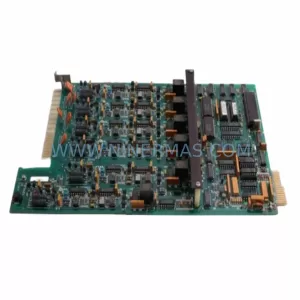
Siemens 6RY1707-0AA01 Retrofit-Compatible Excitation Unit
Verify the part, confirm the platform family, and move straight into quotation with the right commercial details.
RFQ Ready
- SKU6RY1707-0AA01
- CategoryPLC & Industrial Automation Modules
- BrandSiemens
- SupportAvailability, lead time, condition, and shipping coordination
How Buyers Usually Use This Page
- Confirm the exact part number and platform family before sending the quote request.
- Use direct email when quantity, condition, and destination are already defined internally.
- Switch to the broader brand or category archive when you need alternates nearby.
Series Navigation
Move through the most common platform families behind this part.
Product RFQ
Send this part directly for quotation.
Include quantity, required condition, destination country, and target delivery timing. Current reference: Siemens 6RY1707-0AA01 Retrofit-Compatible Excitation Unit with SKU 6RY1707-0AA01.
Siemens 6RY1707-0AA01 Retrofit-Compatible Excitation Unit: Legacy System Compatibility & Smooth Upgrade
The Siemens 6RY1707-0AA01 is a field excitation unit designed for use within the SIMOREG DC Master series — one of Siemens’ most widely deployed DC drive platforms in heavy industrial environments. As production lines age and original spare parts become increasingly difficult to source, the 6RY1707-0AA01 has become a critical component in retrofit projects, discontinued model replacements, and control cabinet upgrades across steel mills, paper machines, extruders, winding systems, and crane drives.
NINERMAS maintains verified stock of the 6RY1707-0AA01 with full functional testing prior to shipment, backed by a 12-month warranty. Whether you are replacing a failed unit on an emergency basis or planning a phased modernization of your DC drive infrastructure, this module is available for immediate dispatch.
Upgrade Compatibility Table
| Parameter | Details |
|---|---|
| SKU / Part Number | 6RY1707-0AA01 |
| Series | SIMOREG DC Master |
| Function | Field Excitation Unit for DC Motor Control |
| Mounting / Installation | Rack-mounted, compatible with SIMOREG DC Master control cabinet backplane |
| Communication Compatibility | Compatible with PROFIBUS-DP via CBP2 communication board; supports USS protocol |
| Replacement Recommendation | Direct replacement for legacy 6RY1707-0AA01 units; verify terminal wiring and parameter set before commissioning |
| Commissioning Notes | Confirm field current setpoints (P100–P109), check armature feedback wiring, validate HMI screen assignments on OP1S or external SCADA |
| Warranty | 12 Months from date of shipment |
Retrofit Planning for Existing Automation Systems
Replacing the 6RY1707-0AA01 in an operating plant requires careful pre-engineering to avoid extended downtime and program loss. Before the replacement unit arrives on site, engineers should document the existing parameter set using the SIMOREG DC Master parameter list — particularly the field current controller gains, ramp-up times, and motor nameplate data stored in the drive’s non-volatile memory. If the original unit is still partially functional, use the DriveMonitor or STARTER software to export the full parameter file for re-upload after the swap.
In many retrofit scenarios, the 6RY1707-0AA01 is installed alongside other SIMOREG DC Master components that may also be approaching end-of-life. The 6RA7093-4DV62-0AA0 converter unit, for example, is frequently found in the same control cabinet and shares the same backplane communication architecture. Similarly, the CUD1 central unit board (6RY1803-0AA00) governs the main control logic and must remain compatible with the excitation unit’s firmware revision. If the CUD1 has already been replaced or upgraded, confirm that the firmware version supports the 6RY1707-0AA01’s parameter interface before installation.
Terminal wiring is a common source of commissioning delays. The field winding connections (terminals X3:1 and X3:2 on most SIMOREG configurations) must be verified against the motor’s field resistance and rated field current. If the existing cable cross-sections were sized for an older excitation unit with different output characteristics, re-termination may be required. Always check the control cabinet’s 24 VDC auxiliary power supply — often provided by a SITOP PSU300S or equivalent — to confirm it can sustain the additional load during startup sequences.
For plants running PROFIBUS-DP networks, the CBP2 communication board must be seated correctly in the option slot of the SIMOREG chassis. The 6RY1707-0AA01 does not independently manage PROFIBUS addressing; the node address is set via DIP switches on the CBP2 and must match the GSD file configuration in the PLC — typically a Siemens S7-300 or S7-400 with a CP 342-5 or CP 443-5 communications processor. After replacement, trigger a PROFIBUS diagnostic scan from the PLC to confirm the drive is recognized at the correct address before releasing the line to production.
In systems where the SIMOREG DC Master interfaces with a Siemens OP1S operator panel or a third-party HMI via RS-485, verify that the HMI screen templates reference the correct drive parameter numbers. Parameter mapping differences between firmware versions can cause HMI display errors that are mistaken for hardware faults. If the plant uses a SIMATIC WinCC or InTouch SCADA system, update the tag database to reflect any parameter address changes introduced by the replacement unit.
I/O expansion requirements should also be reviewed during retrofit planning. If the existing system uses a 6SX7010-0FF00 I/O expansion board for additional digital or analog signals, confirm that the board’s slot assignment and address configuration remain valid after the excitation unit replacement. In some older installations, the I/O board address is set relative to the main unit’s slot position, and physical rearrangement of modules can cause address conflicts that prevent the drive from initializing correctly.
Downtime Control During System Migration
Minimizing production downtime during a DC drive excitation unit replacement requires a structured migration plan. The most effective approach is to complete all pre-commissioning work — parameter backup, wiring verification, spare parts staging, and HMI template review — before the scheduled maintenance window begins. A well-prepared team can typically complete a 6RY1707-0AA01 swap within a four-hour window, including functional testing and a supervised production restart.
To protect the original program logic, always maintain a copy of the parameter file on a laptop running DriveMonitor or STARTER, as well as a printed parameter list as a backup. If the PLC program references drive-specific function blocks or drive objects (DOs) in a SIMATIC S7 project, ensure the project file is archived and accessible to the commissioning engineer before the old unit is removed.
During the physical swap, label all field wiring and control signal cables before disconnection. Use a torque screwdriver to re-terminate all connections to the manufacturer’s specified values — loose terminals are a leading cause of intermittent faults in the weeks following a retrofit. After re-energization, perform a no-load field current test before connecting the motor armature circuit, and verify that the field current feedback signal is within the expected range before enabling the speed controller.
For critical production lines where even a four-hour outage is unacceptable, consider staging a pre-configured and pre-tested 6RY1707-0AA01 unit with the parameter file already loaded. NINERMAS can assist with pre-shipment parameter loading upon request, reducing on-site commissioning time to a simple swap-and-verify procedure. All units shipped by NINERMAS undergo a full functional test at our facility before dispatch, with a test report available upon request.
Retrofit Support FAQ
Q1: Is the 6RY1707-0AA01 a direct drop-in replacement for the unit currently installed in my SIMOREG DC Master cabinet?
In most cases, yes — provided the existing cabinet was originally configured for this part number. Before installation, confirm the hardware revision of the existing unit and compare it with the replacement. Minor hardware revisions may require a firmware update on the CUD1 central unit board to ensure full compatibility. NINERMAS technical support can assist with revision matching prior to shipment.
Q2: What wiring checks should I perform before powering up the replacement unit?
Verify field winding polarity and resistance at terminals X3:1 and X3:2. Confirm that the 24 VDC auxiliary supply is within tolerance. Check that all PROFIBUS or USS communication cables are correctly seated and that the CBP2 board node address matches the PLC configuration. Inspect all terminal screws for correct torque and confirm that no control signal cables were inadvertently swapped during the replacement.
Q3: How do I confirm the replacement unit is functioning correctly before restarting production?
After energization, monitor the field current actual value via the OP1S panel or DriveMonitor. It should match the setpoint defined in P100 within the tolerance specified in the motor datasheet. Run the drive at minimum speed with no load and verify that the speed feedback signal is stable. Check the PROFIBUS diagnostic status in the PLC to confirm the drive is communicating correctly. Only after all these checks pass should the armature circuit be enabled and the line returned to production.
Q4: What does the 12-month warranty cover, and what is the stock availability?
NINERMAS provides a 12-month warranty from the date of shipment covering manufacturing defects and functional failures under normal operating conditions. All units are tested prior to dispatch and shipped with a test report. Stock is maintained for immediate dispatch; lead times for in-stock units are typically 1–3 business days. For urgent requirements, expedited shipping is available. Contact sale@ninermas.com or call +0086 187 5021 5667 for current stock confirmation and pricing.
| Product Series | SIMOREG |
|---|---|
| Country of Origin | DE |
Catalog Continuation
More Siemens modules in the catalog.
Use the brand lane to compare nearby part numbers, platform-adjacent modules, and other inquiry-ready listings before sending your final RFQ.
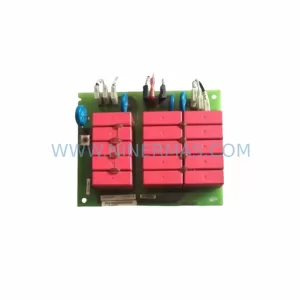
SKU: 6ES7132-4BD31-0AA0
Siemens 6ES7132-4BD31-0AA0 Safety-Reliable Digital Output ET 200S
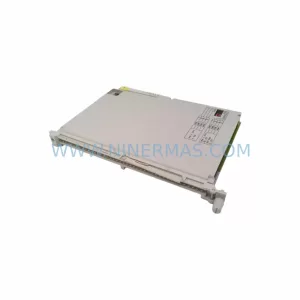
SKU: 6ES5463-4UA12
Siemens 6ES5463-4UA12 Safety-Reliable Analog Input Module
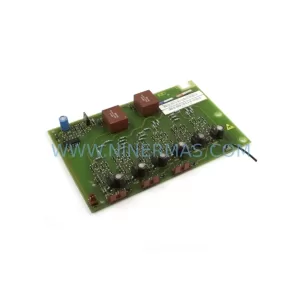
SKU: 6SE7031-2HG84-1JC1
Siemens 6SE7031-2HG84-1JC1 Service-Ready Spare Part
Catalog Continuation
Alternative parts within PLC & Industrial Automation Modules.
Stay inside the same system family when you need substitutes, adjacent modules, or a broader shortlist for procurement review.
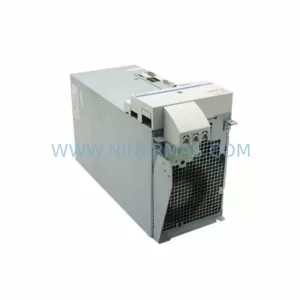
SKU: HMS01.1N-W0054-A-07-NNNN HMS01.1N-W0054
Rexroth HMS01.1N-W0054-A-07-NNNN Service-Ready Spare Part
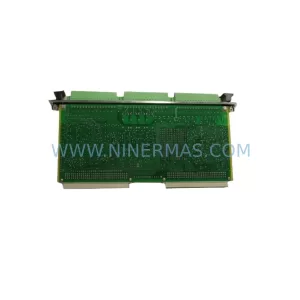
SKU: VIBRO METER VM600 IOC4T 200-560-000-019 I/O MODULE
Vibro-Meter VM600 IOC4T 200-560-000-019 Spare Part