
Original Industrial Spare Part
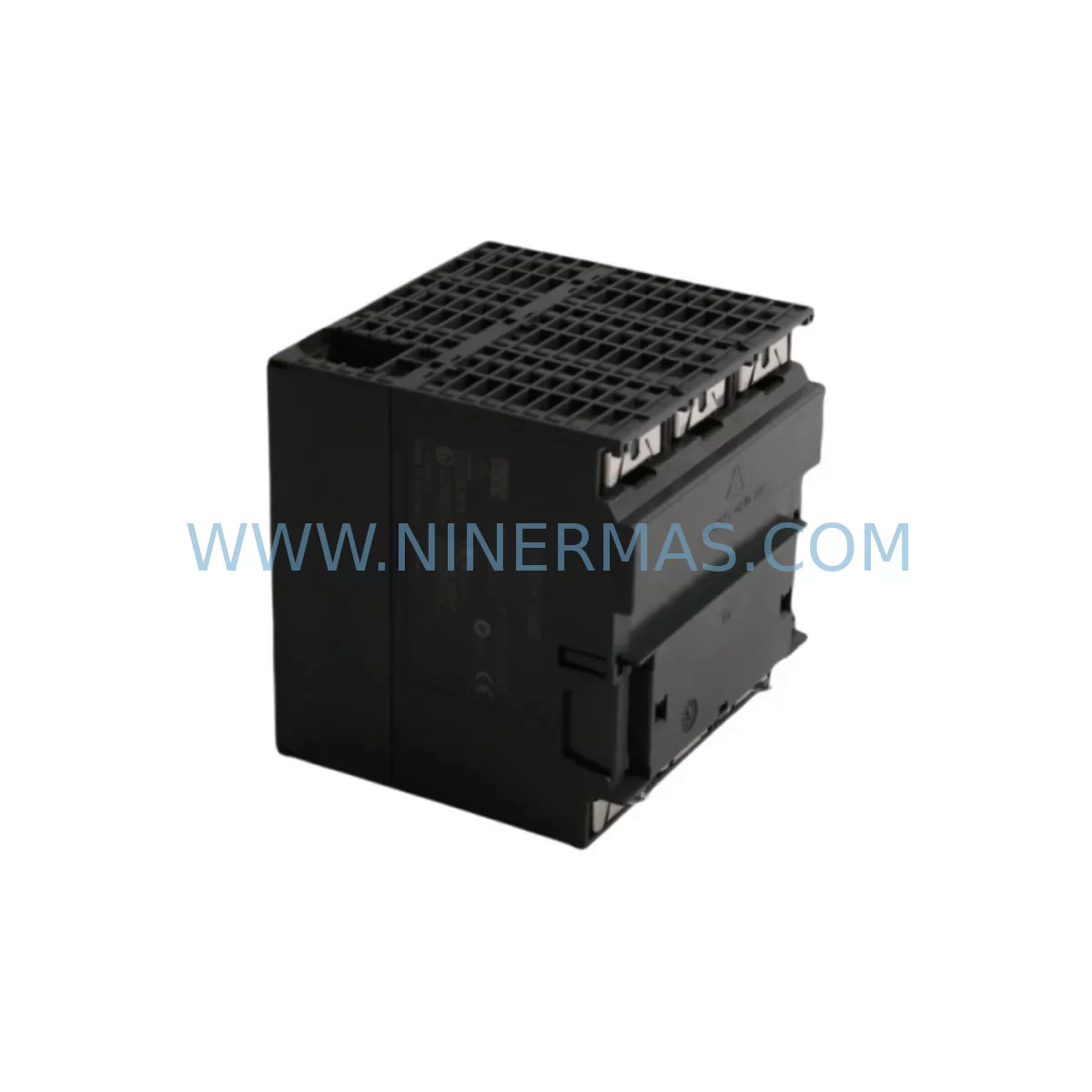
Siemens 6ES7313-6CE00-0AB0 Retrofit-Compatible CPU for Legacy Systems
Verify the part, confirm the platform family, and move straight into quotation with the right commercial details.
RFQ Ready
- SKU6ES7313-6CE00-0AB0
- CategoryPLC & Industrial Automation Modules
- BrandSiemens
- SupportAvailability, lead time, condition, and shipping coordination
How Buyers Usually Use This Page
- Confirm the exact part number and platform family before sending the quote request.
- Use direct email when quantity, condition, and destination are already defined internally.
- Switch to the broader brand or category archive when you need alternates nearby.
Series Navigation
Move through the most common platform families behind this part.
Product RFQ
Send this part directly for quotation.
Include quantity, required condition, destination country, and target delivery timing. Current reference: Siemens 6ES7313-6CE00-0AB0 Retrofit-Compatible CPU for Legacy Systems with SKU 6ES7313-6CE00-0AB0.
Siemens 6ES7313-6CE00-0AB0 Retrofit-Compatible CPU for Legacy Systems
The Siemens 6ES7313-6CE00-0AB0 is a compact CPU module from the SIMATIC S7-300 series, widely deployed across discrete manufacturing, process control, and utility automation environments. As legacy S7-300 installations approach end-of-life and Siemens phases out support for older hardware generations, plant engineers and maintenance teams face increasing pressure to source reliable replacement units, plan structured retrofits, and maintain production continuity without costly full-system overhauls. NINERMAS supplies the 6ES7313-6CE00-0AB0 as a tested, retrofit-ready module backed by a 12-month warranty, with in-stock availability to support urgent replacement and planned upgrade projects alike.
This CPU integrates an MPI/DP communication interface, onboard digital I/O, and a compact form factor suited to space-constrained control cabinets. It is fully compatible with the S7-300 rack architecture, accepting standard 24 VDC power from modules such as the PS 307 power supply series, and communicating natively with distributed I/O via PROFIBUS DP. For facilities running mixed-generation automation infrastructure, the 6ES7313-6CE00-0AB0 provides a stable, proven platform that bridges legacy control logic with modern field devices.
Upgrade Compatibility Table
| Parameter | Details |
|---|---|
| SKU / Part Number | 6ES7313-6CE00-0AB0 |
| Series | SIMATIC S7-300 |
| CPU Type | Compact CPU with onboard I/O and MPI/DP interface |
| Rack Compatibility | S7-300 standard rail (DIN rail mount); compatible with UR1, UR2 racks |
| Power Supply Interface | 24 VDC via PS 307 or equivalent S7-300 power supply module |
| Communication Interface | MPI (187.5 kbps default) / PROFIBUS DP (up to 12 Mbps) |
| Onboard I/O | Digital inputs/outputs integrated; expandable via SM modules |
| Programming Software | STEP 7 v5.x (SIMATIC Manager); compatible with TIA Portal via migration tools |
| Backplane Interface | K-bus (S7-300 internal bus); slot addressing via module configuration |
| Replacement Compatibility | Direct replacement for 6ES7313-6CE00-0AB0; verify firmware revision before swap |
| Installation Space | Standard S7-300 slot width; confirm cabinet depth ≥ 130 mm |
| Commissioning Notes | Restore STEP 7 project, verify MPI address, check DP slave configuration |
| Warranty | 12 months from date of shipment — NINERMAS standard warranty |
Retrofit Planning for Existing Automation Systems
A successful retrofit of the 6ES7313-6CE00-0AB0 begins well before the replacement unit arrives on site. Engineers should retrieve the existing STEP 7 project from the programming device or from the CPU’s internal memory using a PC adapter cable such as the PC Adapter USB A2 (6ES7972-0CB20-0XA0), and archive the program blocks, hardware configuration, and symbol table. Confirming the MPI node address currently assigned to the CPU is essential, as address conflicts on the MPI network can prevent the replacement unit from communicating with the SIMATIC Manager workstation or with connected HMI panels such as the TP177B or MP277 operator panels.
On the hardware side, the 6ES7313-6CE00-0AB0 occupies a defined slot on the S7-300 rack. Before removal, document the physical slot positions of all signal modules — including digital input modules such as SM 321 and digital output modules such as SM 322 — as well as any analog I/O modules like the SM 331 or SM 332 that handle process signals. The module address assignment in the STEP 7 hardware configuration must match the physical slot layout exactly; any discrepancy will generate configuration errors during online comparison after the swap.
Power supply capacity is a critical checkpoint. The PS 307 5A or PS 307 10A power supply module must provide sufficient current for the CPU plus all installed signal modules and any connected load on the 24 VDC bus. Calculate the total current draw from the hardware configuration data and confirm the existing power supply has adequate headroom. If the original installation is running close to the rated output, the retrofit is an appropriate moment to upgrade to a higher-capacity supply.
For systems using PROFIBUS DP to communicate with distributed I/O — such as ET 200M remote I/O stations or third-party field devices — verify that the DP master configuration in the STEP 7 project correctly reflects all slave addresses and GSD file versions. After installing the replacement 6ES7313-6CE00-0AB0, perform a full online download of the hardware configuration before transferring the program. This sequence ensures the CPU recognizes all DP slaves before program execution begins, preventing spurious I/O errors during initial startup.
Where the existing installation includes a CP 343-1 Ethernet communication processor for SCADA connectivity or data logging, confirm that the IP address and connection parameters stored in the CP module’s configuration are preserved. The CP 343-1 retains its configuration independently of the CPU, but the STEP 7 project must reflect the correct rack and slot assignment for the communication processor to avoid configuration mismatches after the CPU swap.
Cabinet wiring to the onboard I/O terminals of the 6ES7313-6CE00-0AB0 should be documented with terminal numbers and signal descriptions before disconnection. Photograph the terminal block wiring and cross-reference against the existing I/O list. Reconnect and verify each signal against the process documentation before enabling outputs. For installations where the CPU’s onboard I/O handles safety-critical signals, coordinate the retrofit with the site safety officer and follow the applicable lockout/tagout procedure.
Downtime Control During System Migration
Minimizing unplanned downtime during a CPU replacement requires a structured pre-outage preparation phase. Before scheduling the maintenance window, ensure the replacement 6ES7313-6CE00-0AB0 has been received, inspected, and confirmed against the order documentation. Verify the firmware version is compatible with the existing STEP 7 project — particularly if the project uses features introduced in a specific CPU firmware release. NINERMAS performs functional testing on all modules prior to shipment, and the 12-month warranty covers defects identified during commissioning as well as field failures within the warranty period.
Archive the complete STEP 7 project to a secure location before beginning the physical swap. Use the SIMATIC Manager archive function to create a compressed project file that includes all program blocks (OBs, FBs, FCs, DBs), the hardware configuration, and the symbol table. Store the archive on a network drive or removable media separate from the programming device. This archive is the recovery baseline if the commissioning process encounters unexpected issues.
During the maintenance window, follow a defined sequence: power down the rack using the PS 307 supply switch, remove the existing CPU, install the replacement 6ES7313-6CE00-0AB0, restore power, and perform the hardware configuration download before the program download. After the program is loaded, switch the CPU to RUN mode and monitor the diagnostic buffer for any startup errors. Compare the online hardware configuration against the expected configuration to confirm all signal modules and communication processors are recognized correctly.
For production lines where even brief interruptions have significant cost implications, consider staging the replacement during a scheduled maintenance shift rather than responding reactively to a CPU failure. Holding a tested spare 6ES7313-6CE00-0AB0 in the site stores — alongside the archived STEP 7 project and a configured PC adapter cable — reduces mean time to recovery from hours to minutes in the event of an unplanned failure. NINERMAS maintains stock of the 6ES7313-6CE00-0AB0 and related S7-300 components to support both planned procurement and urgent same-day dispatch requirements.
Retrofit Support FAQ
Q: Is the 6ES7313-6CE00-0AB0 a direct drop-in replacement for the same part number currently installed?
A: Yes, the 6ES7313-6CE00-0AB0 is a direct replacement for the same part number. Before installation, compare the firmware version of the replacement unit against the original. If the project was created with an older STEP 7 version, perform a hardware configuration update in SIMATIC Manager to reflect the replacement unit’s firmware revision, then download the updated configuration to the CPU before transferring the program blocks.
Q: What commissioning steps are required after installing the replacement CPU?
A: After physical installation, connect the programming device via MPI using the PC Adapter USB A2 or equivalent cable. Open the STEP 7 project in SIMATIC Manager, perform an online hardware configuration download, verify that all modules in the rack — including SM 321, SM 322, SM 331, SM 332, and any CP modules — are recognized without errors, then download the program. Switch to RUN mode and review the CPU diagnostic buffer to confirm clean startup. Test all I/O signals against the process documentation before releasing the system to production.
Q: Does NINERMAS test the 6ES7313-6CE00-0AB0 before shipment, and what warranty is provided?
A: Yes. Every 6ES7313-6CE00-0AB0 unit supplied by NINERMAS undergoes functional testing prior to dispatch. All modules are covered by a 12-month warranty from the date of shipment. Warranty claims are handled directly by NINERMAS — contact sale@ninermas.com or call +0086 187 5021 5667 for support. Replacement or repair is arranged promptly to minimize impact on your production schedule.
Q: Can the 6ES7313-6CE00-0AB0 be used in a system that is being migrated from S7-300 to S7-1500?
A: The 6ES7313-6CE00-0AB0 is an S7-300 platform module and is not directly compatible with the S7-1500 rack or TIA Portal hardware configuration without migration. However, it is an effective interim solution for maintaining production continuity on existing S7-300 lines while a phased migration to S7-1500 is planned. NINERMAS can advise on parallel stocking strategies that support both the legacy S7-300 installation and the target S7-1500 platform during the transition period.
| Product Series | SIMATIC S7-300 |
|---|---|
| Country of Origin | DE |
Catalog Continuation
More Siemens modules in the catalog.
Use the brand lane to compare nearby part numbers, platform-adjacent modules, and other inquiry-ready listings before sending your final RFQ.
Catalog Continuation
Alternative parts within PLC & Industrial Automation Modules.
Stay inside the same system family when you need substitutes, adjacent modules, or a broader shortlist for procurement review.
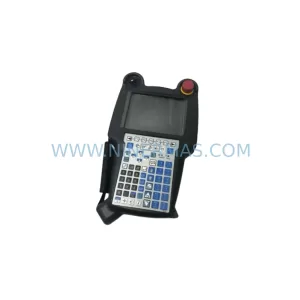
SKU: A05B-2518-C200
FANUC A05B-2518-C200 Retrofit Teach Pendant for Legacy Systems
SKU: 2711PC-T10C4D8
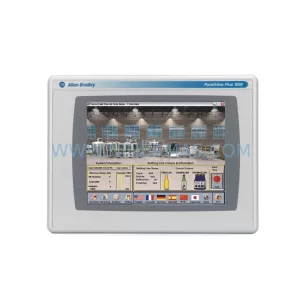
Allen-Bradley 2711PC-T10C4D8 Retrofit-Compatible HMI Terminal



