Original Industrial Spare Part
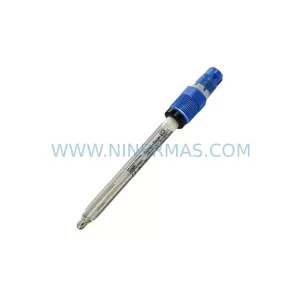
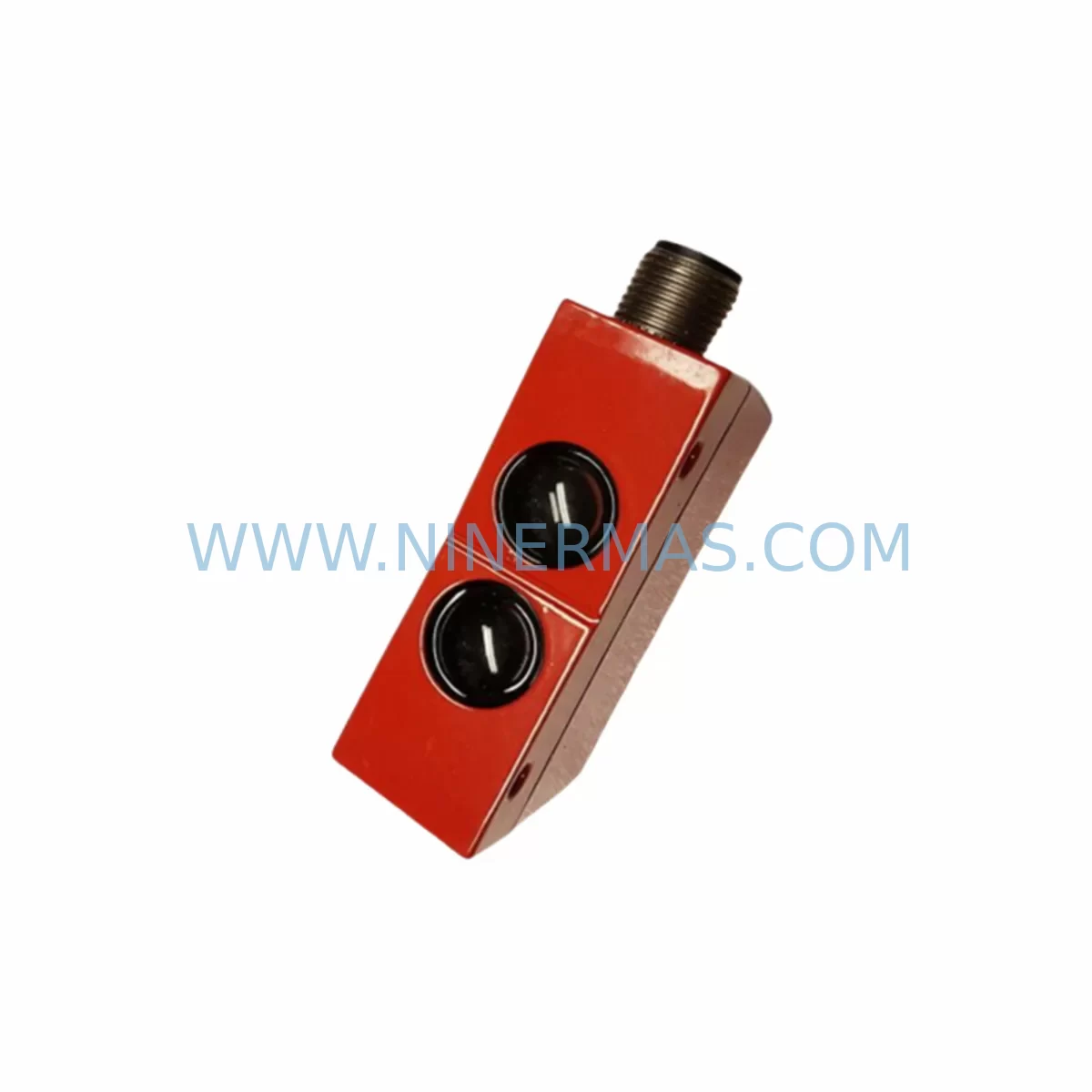
Leuze IFRK 93/4-100 L.2 Retrofit-Compatible Safety Sensor
Verify the part, confirm the platform family, and move straight into quotation with the right commercial details.
RFQ Ready
- SKUIFRK 93/4-100 L.2
- CategorySIS Safety & Redundancy Systems
- BrandLeuze
- SupportAvailability, lead time, condition, and shipping coordination
How Buyers Usually Use This Page
- Confirm the exact part number and platform family before sending the quote request.
- Use direct email when quantity, condition, and destination are already defined internally.
- Switch to the broader brand or category archive when you need alternates nearby.
Series Navigation
Move through the most common platform families behind this part.
Product RFQ
Send this part directly for quotation.
Include quantity, required condition, destination country, and target delivery timing. Current reference: Leuze IFRK 93/4-100 L.2 Retrofit-Compatible Safety Sensor with SKU IFRK 93/4-100 L.2.
Leuze IFRK 93/4-100 L.2 Retrofit-Compatible Safety Sensor for Legacy Automation Systems
The Leuze IFRK 93/4-100 L.2 is a ruggedized photoelectric safety sensor engineered for demanding industrial environments where legacy system continuity, spare parts availability, and retrofit compatibility are mission-critical. As automation lines age and original equipment manufacturers discontinue support for older sensor families, the IFRK 93/4-100 L.2 has become a trusted drop-in replacement and upgrade path for facilities managing long-lifecycle production assets. Whether you are replacing a failed unit on a legacy conveyor line, upgrading a control cabinet to meet current safety standards, or migrating from an obsolete sensor platform, this unit delivers the mechanical and electrical compatibility required to minimize engineering rework and reduce unplanned downtime.
Designed within Leuze’s IFRK 93 series, the IFRK 93/4-100 L.2 features a ruggedized housing rated for harsh industrial conditions, including exposure to vibration, dust, and ambient light interference common in heavy manufacturing, automotive assembly, and process automation environments. The sensor operates as a retroreflective photoelectric device with a sensing range of 100 mm, making it suitable for object detection, position verification, and safety interlock applications across a wide range of machine guarding and conveyor control scenarios.
Upgrade Compatibility Table
| Parameter | IFRK 93/4-100 L.2 Specification | Retrofit / Replacement Notes |
|---|---|---|
| Sensor Type | Retroreflective Photoelectric Safety Sensor | Compatible with standard retroreflective mounting positions; verify reflector alignment during installation |
| Sensing Range | 100 mm | Confirm legacy unit sensing range matches; adjust mounting bracket if predecessor had different range |
| Housing | Ruggedized industrial housing (IFRK 93 series) | Check mounting hole pattern against predecessor model; adapter plates may be required for non-standard cutouts |
| Output Type | L.2 (Light-ON switching output) | Verify PLC input card logic polarity; NPN/PNP configuration must match existing I/O module wiring |
| Supply Voltage | DC (confirm datasheet for exact range) | Check 24 VDC power supply capacity in control cabinet; ensure adequate current headroom on the power rail |
| Connection Interface | Standard M12 connector | Verify existing cable harness connector type; M12 to M8 adapters available if legacy wiring differs |
| Communication Protocol | Discrete I/O (non-fieldbus) | No protocol migration required; signal feeds directly into safety relay or safety PLC input module |
| Safety Integration | Safety interlock compatible | Validate safety relay logic and E-stop chain continuity after replacement; update safety validation records |
| Installation Space | Compact IFRK 93 form factor | Measure available clearance in machine guard or conveyor frame; confirm no interference with adjacent modules |
| Warranty | 12-Month Warranty — All units shipped by NINERMAS are covered by a 12-month warranty against manufacturing defects | |
Retrofit Planning for Existing Automation Systems
When integrating the IFRK 93/4-100 L.2 into an existing automation line, a structured retrofit plan is essential to protect program logic, maintain safety compliance, and avoid extended production interruptions. The following workflow reflects best practices for facilities replacing discontinued photoelectric sensors in legacy control architectures.
Step 1 — Control Cabinet Audit: Before removing the legacy sensor, document the existing wiring at the terminal block. Photograph the terminal strip layout and record wire labels, colors, and I/O addresses. If the control cabinet uses a Siemens S7-300 or S7-400 series PLC with a digital input module such as the SM 321 or SM 331, confirm the channel address assigned to the sensor signal. For systems running on Allen-Bradley ControlLogix or CompactLogix platforms, note the I/O tag name in the RSLogix 5000 or Studio 5000 project file before any hardware changes are made.
Step 2 — Power Supply Verification: Confirm that the 24 VDC power supply feeding the sensor circuit has sufficient current capacity to support the IFRK 93/4-100 L.2. In control cabinets where a SITOP PSU100S or equivalent DIN-rail power supply is installed, check the load calculation to ensure the new sensor does not push the supply beyond its rated output. If the cabinet uses a distributed power architecture with a Phoenix Contact QUINT or TRIO power supply, verify that the sensor branch circuit is protected by an appropriate electronic circuit breaker.
Step 3 — I/O Module and Backplane Compatibility: For systems using modular I/O racks, confirm that the digital input module receiving the sensor signal supports the output switching logic of the IFRK 93/4-100 L.2 (L.2 = Light-ON). In Siemens ET 200S or ET 200SP distributed I/O stations, verify the input module type and its configured signal level. For Beckhoff EtherCAT I/O terminals such as the EL1008 or EL1809, confirm the terminal assignment in TwinCAT and update the I/O mapping if the physical channel changes during installation.
Step 4 — Safety Relay and Interlock Chain: If the IFRK 93/4-100 L.2 feeds into a safety relay — such as a Pilz PNOZ X series, Schmersal SRB series, or SICK safety controller — verify the input channel wiring and the relay’s reset logic. After sensor replacement, perform a full functional test of the safety interlock chain, including E-stop loop continuity, before resuming production. Update the machine’s safety validation documentation to reflect the component change.
Step 5 — HMI Screen and Alarm Configuration: If the legacy sensor status is displayed on an HMI panel — such as a Siemens SIMATIC TP700 Comfort, a Weintek cMT series, or a Proface GP4000 series — verify that the sensor fault alarm tag still maps correctly to the new I/O address. In systems where the sensor signal feeds a SCADA layer via OPC-UA or Modbus TCP, confirm that the data point address has not shifted due to rack or slot changes during the retrofit.
Step 6 — Communication Link Integrity: For distributed control architectures using PROFIBUS DP or PROFINET IO, confirm that the I/O station housing the sensor input module remains online after the hardware swap. If the sensor is connected through a Siemens IM 153 or IM 155 interface module, verify the GSD file configuration and station address assignment. For EtherNet/IP networks with Allen-Bradley 1734 POINT I/O or 1756 ControlLogix remote I/O adapters, check the connection status in the controller’s I/O tree after power-up.
Downtime Control During System Migration
Minimizing production downtime during a sensor replacement requires preparation, parallel testing, and a disciplined commissioning sequence. For the IFRK 93/4-100 L.2, the following approach is recommended to protect existing program logic and maintain field control continuity throughout the migration.
Pre-Swap Preparation: Before the maintenance window, bench-test the replacement IFRK 93/4-100 L.2 unit using a portable 24 VDC power supply and a handheld multimeter or signal tester. Confirm that the sensor switches correctly in Light-ON mode when the reflector is aligned. This eliminates the risk of installing a unit with a transit defect and discovering the fault only after the machine is reassembled.
Program Logic Backup: Upload and archive the current PLC program before any hardware changes. For Siemens S7 platforms, use SIMATIC Manager or TIA Portal to create a full project backup including hardware configuration, symbol tables, and data blocks. For Allen-Bradley platforms, use Studio 5000 or RSLogix 5000 to export the project file. Store the backup on a network drive and a local USB device to ensure recovery options if commissioning reveals unexpected behavior.
Hot-Swap Sequencing: Where the production process permits, isolate only the affected machine zone rather than shutting down the entire line. Use the PLC’s force table or I/O forcing function to temporarily hold the sensor input in a safe state while the physical swap is performed. This technique is particularly effective in systems with redundant conveyor zones or parallel processing cells where adjacent zones can continue operating during the maintenance interval.
Post-Installation Commissioning: After installing the IFRK 93/4-100 L.2, perform a structured commissioning sequence: power up the sensor, verify the output LED indicator, confirm the PLC input channel transitions correctly, and run the machine through a full cycle at reduced speed before returning to production rate. Document the commissioning result, including the technician name, date, and any adjustments made to the reflector position or sensitivity setting.
Spare Parts Inventory Strategy: To further reduce future downtime risk, NINERMAS recommends holding at least one additional IFRK 93/4-100 L.2 unit as a critical spare. Given the sensor’s role in safety interlock circuits, having a pre-tested replacement on the shelf eliminates lead-time exposure during unplanned failures. NINERMAS maintains in-stock inventory of the IFRK 93/4-100 L.2 and can support blanket order arrangements for facilities with multiple installations across their production network.
Retrofit Support FAQ
Q1: Is the Leuze IFRK 93/4-100 L.2 a direct replacement for discontinued IFRK 93 series variants?
The IFRK 93/4-100 L.2 shares the IFRK 93 series mechanical form factor and electrical interface, making it compatible with most legacy IFRK 93 mounting positions and wiring configurations. Minor differences in connector pinout or housing dimensions between sub-variants should be verified against the original datasheet before installation. NINERMAS can provide pre-shipment technical confirmation upon request.
Q2: What wiring checks are required before installing the IFRK 93/4-100 L.2 in an existing control cabinet?
Verify the supply voltage (24 VDC nominal), confirm the output switching logic (L.2 = Light-ON), check the M12 connector pinout against the existing cable harness, and confirm the I/O module input channel polarity. If the legacy sensor used a different output configuration (e.g., Dark-ON), the PLC input logic or safety relay wiring may require adjustment before the new unit is powered up.
Q3: Does NINERMAS perform pre-shipment testing on the IFRK 93/4-100 L.2?
Yes. All IFRK 93/4-100 L.2 units shipped by NINERMAS undergo pre-shipment functional testing to verify switching output, sensing range, and housing integrity. Each unit is covered by a 12-month warranty against manufacturing defects from the date of shipment. Test records are available upon request for quality-critical procurement processes.
Q4: What is the typical lead time and stock availability for the IFRK 93/4-100 L.2?
NINERMAS maintains ready stock of the IFRK 93/4-100 L.2 to support urgent replacement and planned retrofit projects. Standard orders are processed within 1–2 business days. For facilities requiring guaranteed stock reservation for long-term spare parts programs or multi-site rollouts, NINERMAS offers blanket order and consignment stock arrangements. Contact our team at sale@ninermas.com or +0086 187 5021 5667 to discuss your procurement requirements.
| Product Series | Other series |
|---|
Catalog Continuation
Alternative parts within SIS Safety & Redundancy Systems.
Stay inside the same system family when you need substitutes, adjacent modules, or a broader shortlist for procurement review.