Original Industrial Spare Part
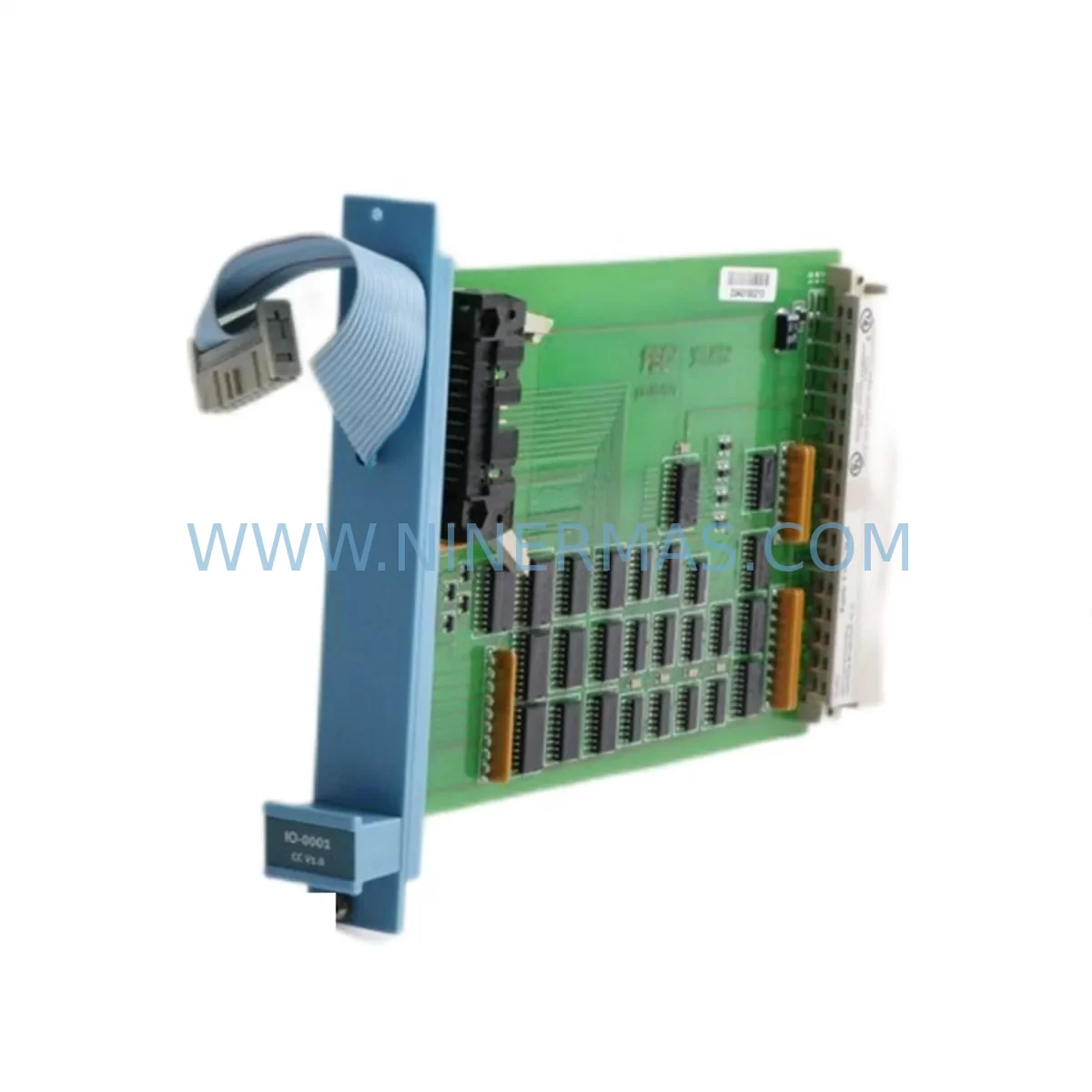
Honeywell FC-SAI-1620M V1.5 Service-Ready Spare Part
Verify the part, confirm the platform family, and move straight into quotation with the right commercial details.
RFQ Ready
- SKUFC-SAI-1620M V1.5
- CategorySIS Safety & Redundancy Systems
- BrandHoneywell
- SupportAvailability, lead time, condition, and shipping coordination
How Buyers Usually Use This Page
- Confirm the exact part number and platform family before sending the quote request.
- Use direct email when quantity, condition, and destination are already defined internally.
- Switch to the broader brand or category archive when you need alternates nearby.
Series Navigation
Move through the most common platform families behind this part.
Product RFQ
Send this part directly for quotation.
Include quantity, required condition, destination country, and target delivery timing. Current reference: Honeywell FC-SAI-1620M V1.5 Service-Ready Spare Part with SKU FC-SAI-1620M V1.5.
Honeywell FC-SAI-1620M V1.5 Service-Ready Spare Part: Spare Replacement & Downtime Risk Control
The Honeywell FC-SAI-1620M V1.5 is a safety-rated analog input module designed for the Honeywell FSC (Fail-Safe Controller) Safety Manager platform — one of the most widely deployed safety instrumented systems (SIS) in oil & gas, petrochemical, power generation, and heavy process industries. When this module fails or degrades, the consequences extend far beyond a single I/O channel: the entire safety loop dependent on it may be forced into a safe state, triggering process shutdowns, emergency venting, or production halts that cost thousands of dollars per hour.
At NINERMAS, we stock the FC-SAI-1620M V1.5 as a verified, service-ready spare part — tested before shipment, backed by a 12-month warranty, and available for rapid dispatch to minimize your mean time to repair (MTTR). Whether you are responding to an unplanned trip, executing a planned turnaround, or building a strategic spare parts inventory for long-term SIS lifecycle management, this module is ready to support your maintenance team.
Spare Maintenance Table
| Parameter | Specification |
|---|---|
| Part Number | FC-SAI-1620M |
| Firmware / Version | V1.5 |
| Module Type | Safety Analog Input Module |
| Platform Compatibility | Honeywell FSC Safety Manager (Safety Manager SC compatible) |
| Series | FSC / Safety Manager |
| Input Channels | 16 Analog Input Channels |
| Signal Type | 4–20 mA / 0–20 mA (HART-compatible) |
| Safety Integrity Level | SIL 2 / SIL 3 capable (per IEC 61508) |
| Backplane Interface | FSC Backplane Bus |
| Operating Temperature | 0°C to +60°C |
| Power Supply Requirement | 24 VDC (via backplane) |
| Mounting | FSC Rack / Chassis slot |
| Origin | United States |
| Condition | Original Spare — Pre-shipment Tested |
| Warranty | 12 Months |
| Application Environment | Oil & Gas, Petrochemical, Power, Chemical Processing |
| Maintenance Recommendation | Replace on first diagnostic fault; do not defer in SIL-rated loops |
Maintenance Planning for Continuous Operation
Replacing the FC-SAI-1620M V1.5 in a live FSC Safety Manager cabinet is rarely an isolated task. Experienced maintenance engineers know that a single module fault often signals broader stress on the surrounding electrical and communication infrastructure. A thorough site inspection during the replacement window should include the following components and subsystems:
Begin with the FSC backplane and rack assembly — inspect the backplane bus connectors for oxidation, mechanical damage, or intermittent contact that could cause recurring faults after the new module is seated. Check the FC-PSU power supply module (such as the FC-PSU-0024 or equivalent) for output voltage stability; an under-voltage condition on the 24 VDC rail is a common root cause of analog input module faults that goes undetected until a module is replaced and the fault reappears.
Inspect the field wiring terminal blocks and marshalling panels connected to the 16 analog input channels. Corroded terminals, loose ferrules, or moisture ingress in junction boxes can introduce signal noise that accelerates module wear. If the process uses HART field instruments — pressure transmitters, flow meters, or level sensors — verify that the HART communication path is intact and that the FC-SAI-1620M V1.5 firmware version is compatible with your HART device revisions.
While the cabinet is open, assess the FC-SDO or FC-SDI discrete I/O modules in adjacent slots. These modules share the same backplane power and communication bus; a failing neighbor can corrupt diagnostic data and generate misleading fault codes on the analog input module. Similarly, inspect any installed FC-COM communication modules (Modbus, Profibus, or FOUNDATION Fieldbus variants) for firmware currency and connector integrity.
For sites running redundant FSC configurations, confirm that the redundancy synchronization link between the primary and secondary controllers is healthy before and after the module swap. A degraded sync link during hot-swap can cause an unintended controller failover. Also verify the FC-CPU or Safety Manager SC processor module event log for any pre-existing diagnostic warnings that may have been masked by the analog input fault.
Finally, review the signal isolators and surge protection devices installed on the field cable entries. In high-noise industrial environments — particularly near variable frequency drives, large motors, or high-voltage switchgear — signal isolators protect analog input modules from transient damage. If the failed FC-SAI-1620M V1.5 shows signs of electrical overstress, replacing the module without addressing the surge protection gap will result in repeat failures. Consider also checking any installed fuse terminal blocks or electronic circuit breakers on the 24 VDC distribution rail to ensure the new module receives clean, protected power from the moment it is energized.
Site Replacement Workflow
Step 1 — Pre-Replacement Verification: Confirm the replacement module part number (FC-SAI-1620M) and firmware version (V1.5) match the installed unit exactly. Mismatched firmware versions between redundant modules can cause synchronization errors. Download and retain the current FSC configuration backup before any hardware change.
Step 2 — Bypass and Isolation: Follow your site’s Management of Change (MOC) and Permit to Work (PTW) procedures. Place the affected safety loop(s) in bypass mode via the Safety Manager operator interface or engineering workstation. Notify the control room and document the bypass start time.
Step 3 — Module Removal: De-energize the slot if your FSC configuration does not support hot-swap for this module type. Disconnect field wiring from the terminal block, label all conductors, and remove the FC-SAI-1620M V1.5 from the backplane slot. Inspect the backplane connector pins for damage before inserting the replacement.
Step 4 — Installation and Configuration: Seat the new FC-SAI-1620M V1.5 firmly into the backplane slot. Reconnect field wiring per the as-built drawings. Power up the slot and allow the FSC system to perform its automatic module recognition and self-test sequence. Verify that all 16 channels report healthy status in the Safety Manager diagnostic display.
Step 5 — Loop Test and Bypass Removal: Perform a point-to-point loop test on each reinstated analog input channel. Confirm signal values match field instrument readings within calibration tolerance. Remove the safety loop bypass only after all channels pass the loop test. Document the bypass end time and update the maintenance record.
Step 6 — Post-Replacement Monitoring: Monitor the replaced module for a minimum of 24 hours via the Safety Manager diagnostic interface. Archive the event log entries generated during the replacement for your site’s SIS maintenance records, as required by IEC 61511 functional safety management documentation.
Spare Parts Support FAQ
Q1: Is the FC-SAI-1620M V1.5 compatible with both the original FSC platform and the newer Safety Manager SC?
The FC-SAI-1620M V1.5 is designed for the Honeywell FSC Safety Manager platform. Compatibility with Safety Manager SC depends on the specific rack and backplane configuration at your site. We recommend confirming your system’s hardware revision and backplane type before ordering. Our technical team can assist with compatibility verification based on your system documentation.
Q2: What pre-shipment testing does NINERMAS perform on the FC-SAI-1620M V1.5?
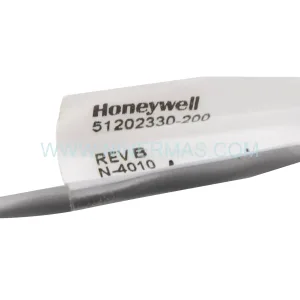
Every FC-SAI-1620M V1.5 unit shipped by NINERMAS undergoes functional power-on testing and visual inspection for physical integrity. Units are verified against the original Honeywell part number and version marking before dispatch. A 12-month warranty covers defects in materials and workmanship from the date of shipment.
Q3: How should we manage long-term spare parts inventory for FSC Safety Manager systems approaching end-of-life?
For aging FSC installations, we recommend maintaining a minimum of one cold spare FC-SAI-1620M V1.5 per installed rack, with additional units held for sites with high channel utilization or harsh environmental conditions. NINERMAS supports long-term supply agreements to ensure continued availability of critical FSC spare parts as the platform matures. Contact our team to discuss a tailored spare parts stocking strategy aligned with your turnaround schedule.
Q4: Can the FC-SAI-1620M V1.5 be used as a direct drop-in replacement for an older firmware version of the same module?
In most FSC configurations, the V1.5 firmware module can replace earlier versions of the FC-SAI-1620M, but this must be validated against your site’s FSC system software version and the approved hardware compatibility matrix in your SIS validation documentation. We strongly recommend consulting your FSC engineering workstation software release notes and, if required, engaging Honeywell’s lifecycle support team to confirm backward compatibility before installation in a SIL-rated safety loop.
| Product Series | Safety Manager |
|---|---|
| Country of Origin | US |
Catalog Continuation
More Honeywell modules in the catalog.
Use the brand lane to compare nearby part numbers, platform-adjacent modules, and other inquiry-ready listings before sending your final RFQ.

Catalog Continuation
Alternative parts within SIS Safety & Redundancy Systems.
Stay inside the same system family when you need substitutes, adjacent modules, or a broader shortlist for procurement review.
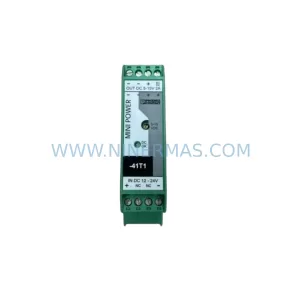
SKU: MINI-PS/12-24DC/5-15DC/2 2320018
Phoenix Contact MINI-PS/12-24DC/5-15DC/2 2320018 DC Power Supply